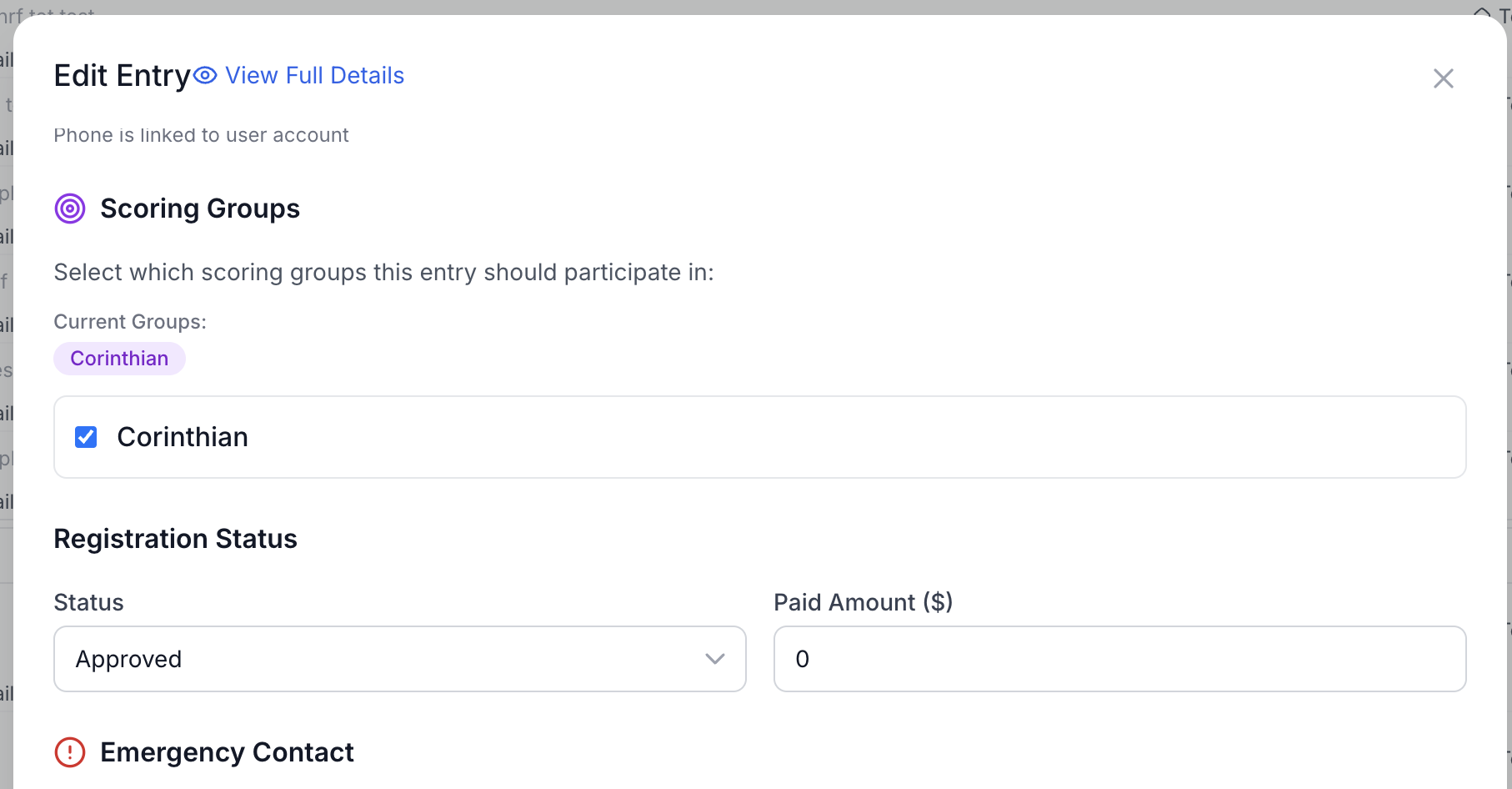
Understanding Scoring Groups
Learn how scoring groups create fair competition within fleets
Overview
Scoring groups allow you to subdivide a single fleet into multiple competitive divisions while all boats race together. This is useful for creating fair competition within fleets that have diverse boat types or skipper categories.
Common Use Cases:
- Corinthian divisions (professional vs. amateur skippers)
- Age divisions (Youth, Adult, Senior)
- Mixed plus (female skipper bonus)
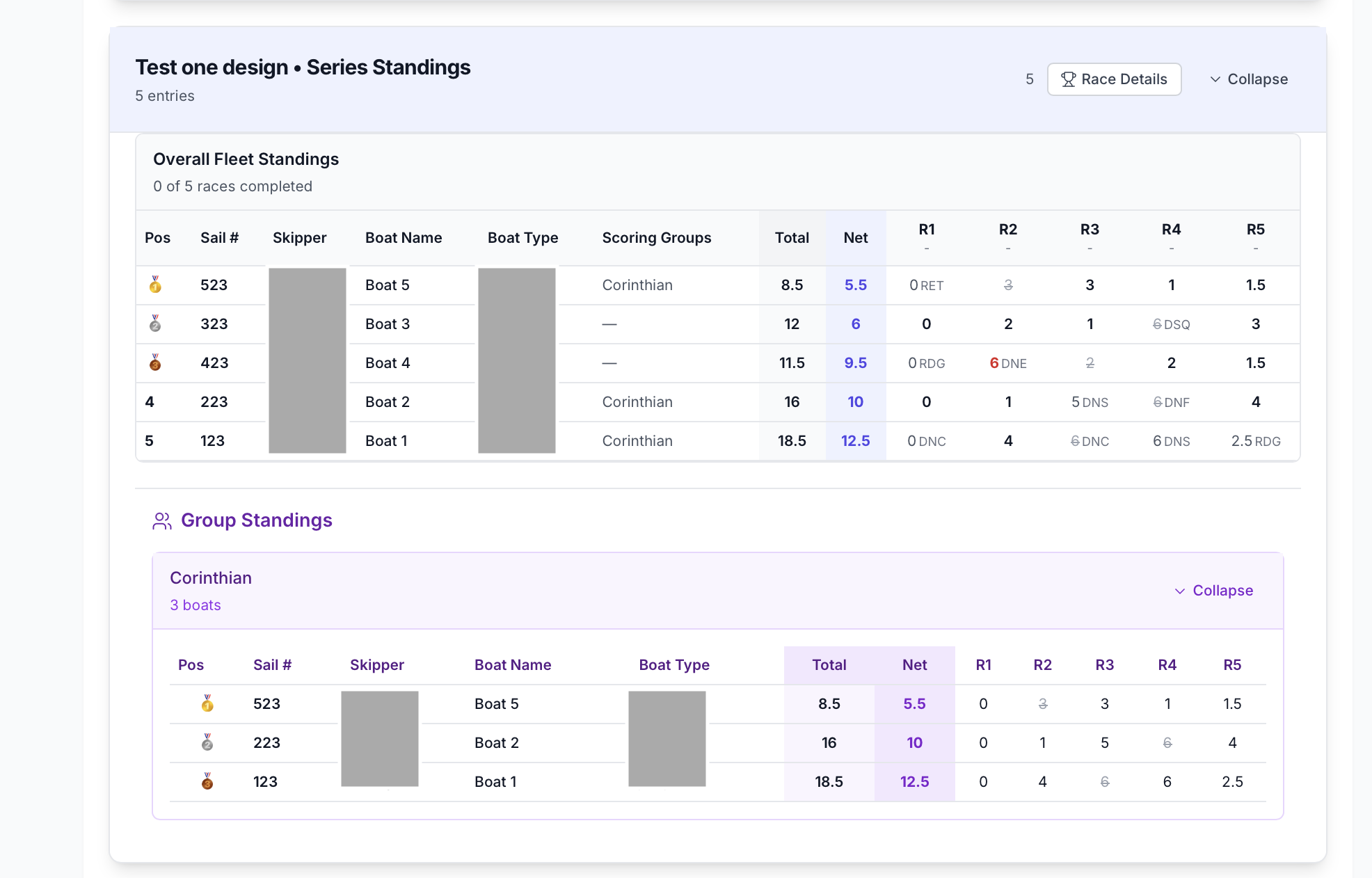
What Are Scoring Groups?
Scoring groups create separate standings within a fleet. All boats in the fleet race together, but their results are grouped independently for competition purposes.
Key Points:
- All boats race together with same start time
- Same course and scoring system applies
- But separate standings are shown per group
- Each group has its own rankings and winners
How Scoring Groups Work
Race Level
During racing:
- All boats in the fleet race together
- Single race with single start time
- Finish times recorded normally
- Points assigned based on fleet finish (not group position)
Series Standings Level
For series standings:
- Fleet standings show all boats together
- Group standings appear as separate sections
- Each group has independent positions
- Same race points, but different group rankings
Viewing Group Standings
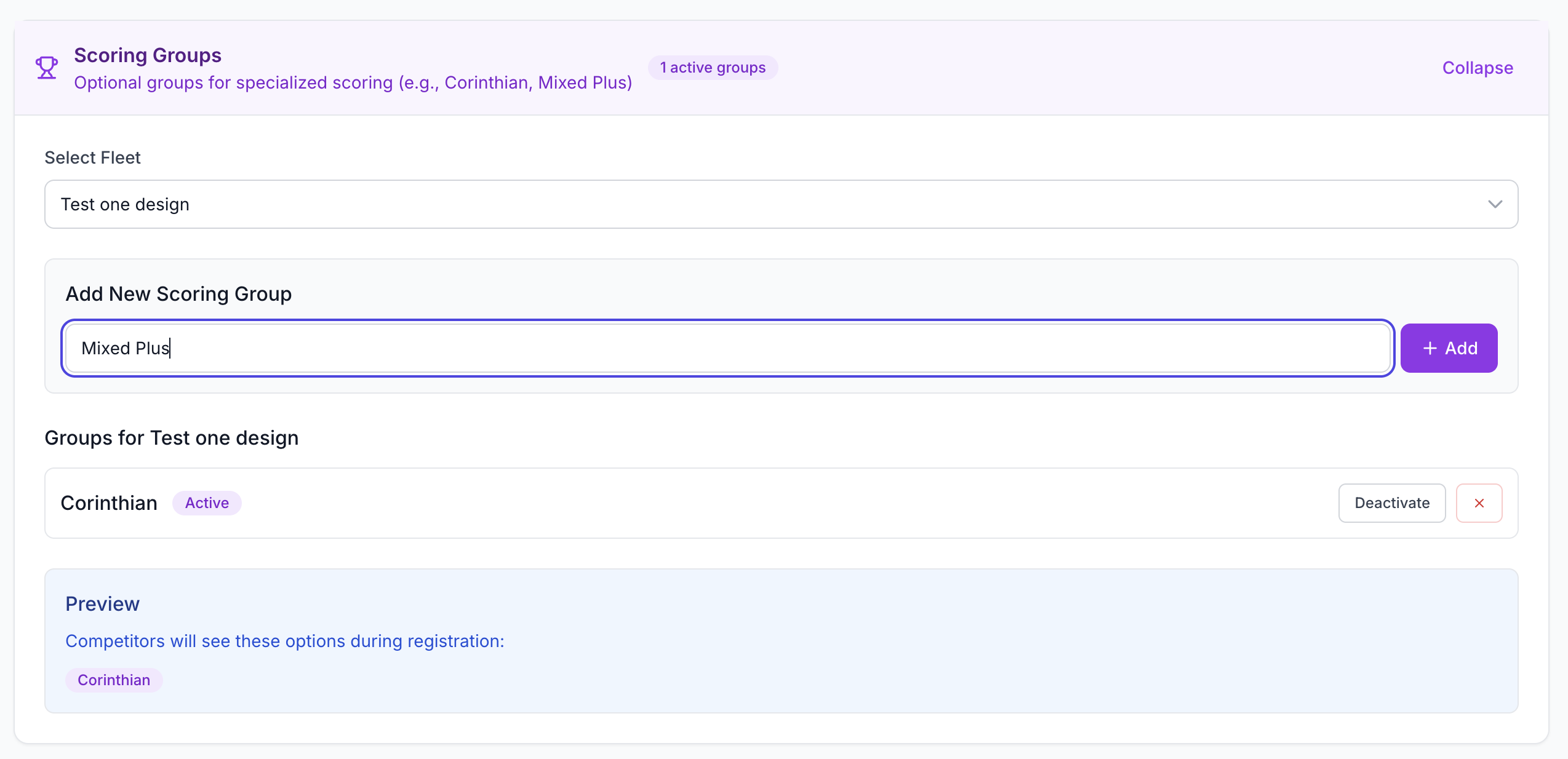
Group standings appear on the Fleet Results page. Navigate to the Fleet Results Page and scroll down to find the "Group Standings" section.
What You'll See:
- One section per scoring group
- Group name and description
- Number of boats in each group
- Expand/collapse buttons for each group
- Complete standings table showing all races and totals
Expand/Collapse Control
Each group can be expanded or collapsed independently:
- Click the chevron icon to expand a group
- The full standings table will appear
- Click again to collapse and save space
- Useful for focusing on specific groups
Group Standings Table
Each group table shows:
- Position within group (1, 2, 3…)
- Same columns as fleet standings (boat name, races, points)
- Race-by-race points for each boat
- Total and net points for the series
- Medals for top 3 boats in the group
- Drop indicators showing excluded races
Points are calculated from the boat's finish position in the fleet, but positions are ranked within the group only.
Managing Group Assignments
Boats are assigned to groups during registration, but you can verify and modify assignments if needed.
Check Group Assignments
- Go to the Entries tab in your regatta
- View the registration list
- Check the "Scoring Group" column for each boat
- Verify each boat is assigned to the correct group

Edit Group Assignments
If a boat is in the wrong group:
- Click on the boat's entry to open the registration details
- Locate the Scoring Group dropdown field
- Select the correct group for the boat
- Save your changes
- Recalculate standings if results have already been published