
Creating a schedule
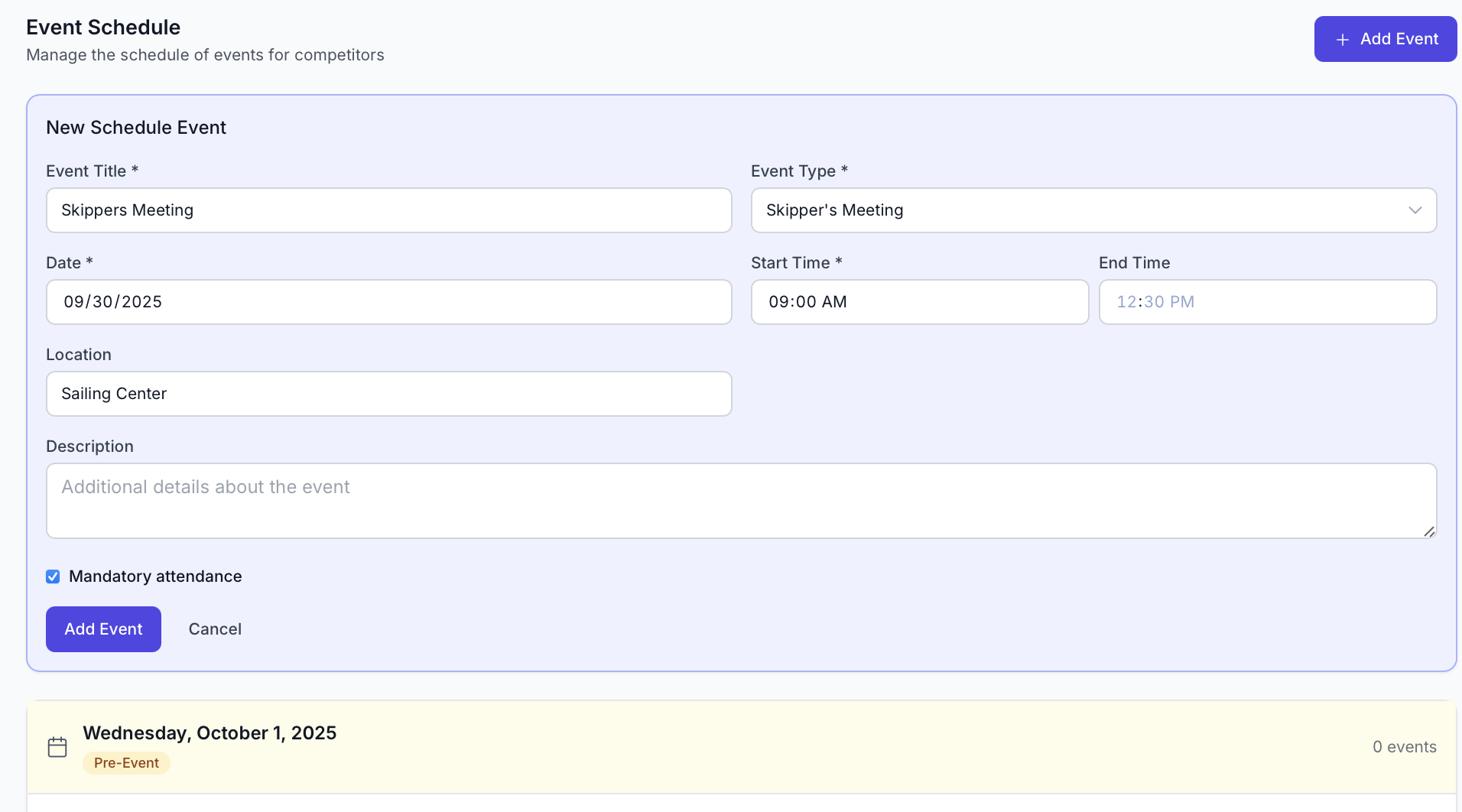
RegattaHub allows you to create a schedule for your event that will appear on the event home page for easy access for competitors. It allows you to set the date, time, category, description, and location for an event.
How to Add an Event:
- Navigate to the schedule tab on the regatta admin page
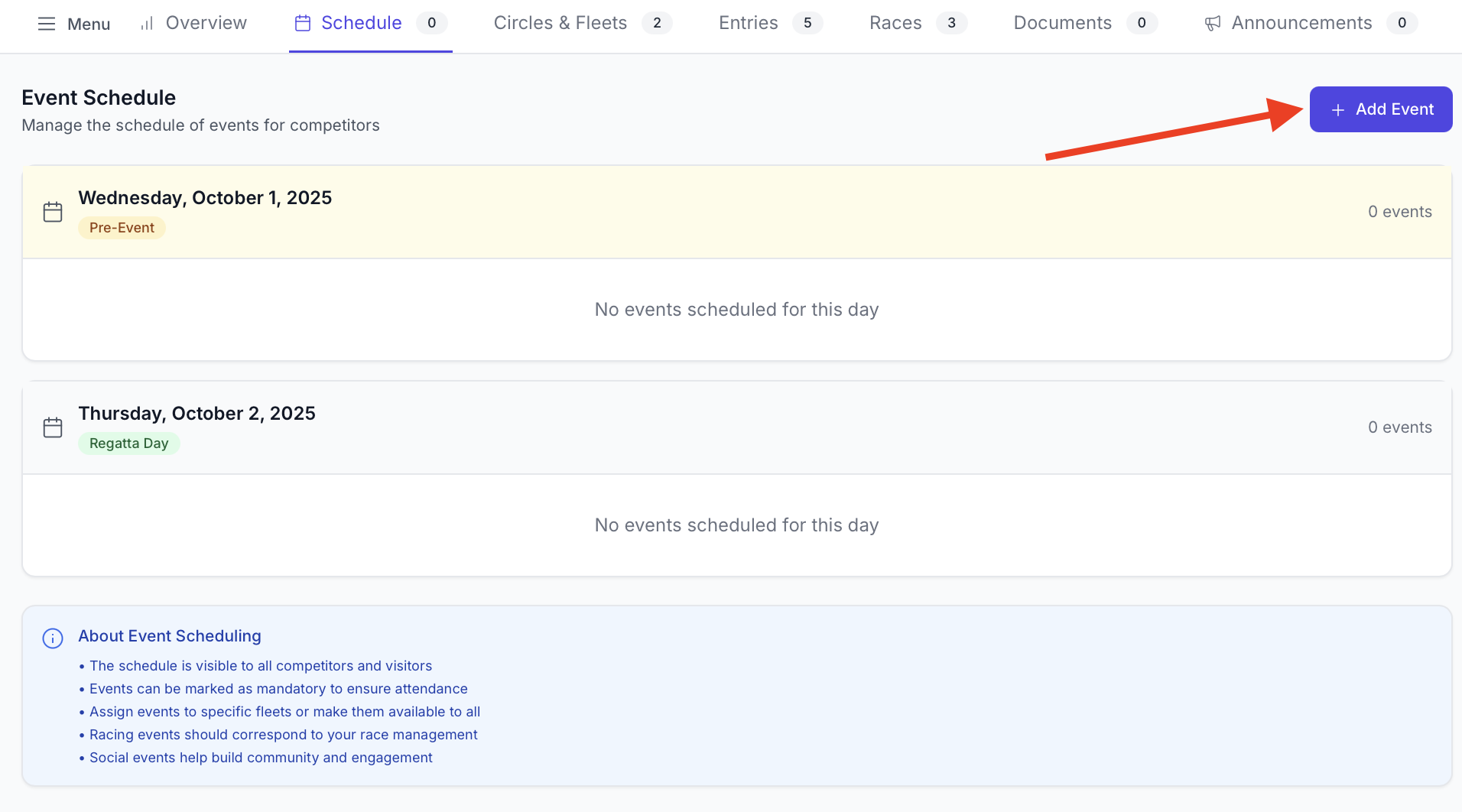
- Click add event
- Fill in the event information & click add event
Editing an Event:
- Navigate to the schedule tab on the regatta admin page
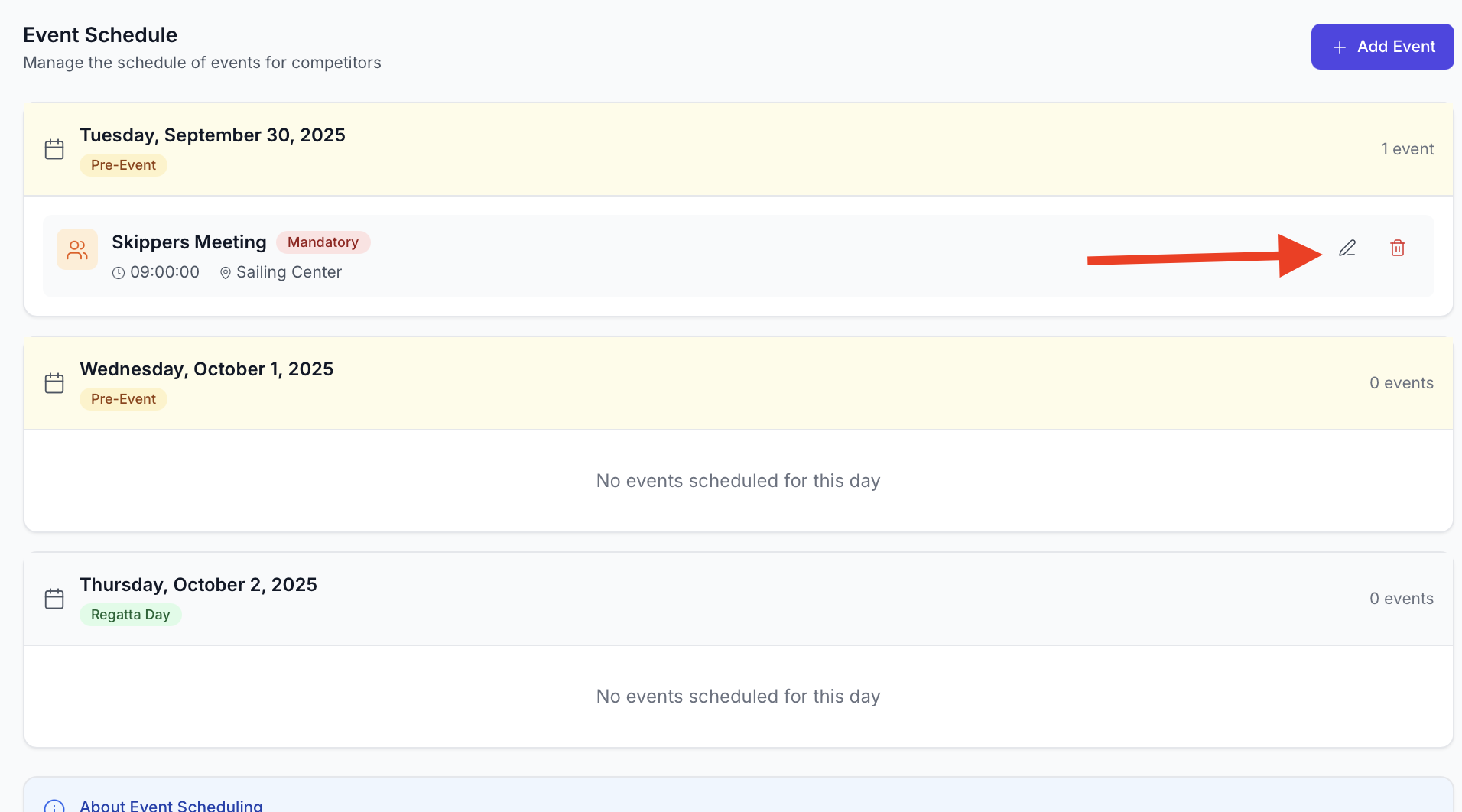
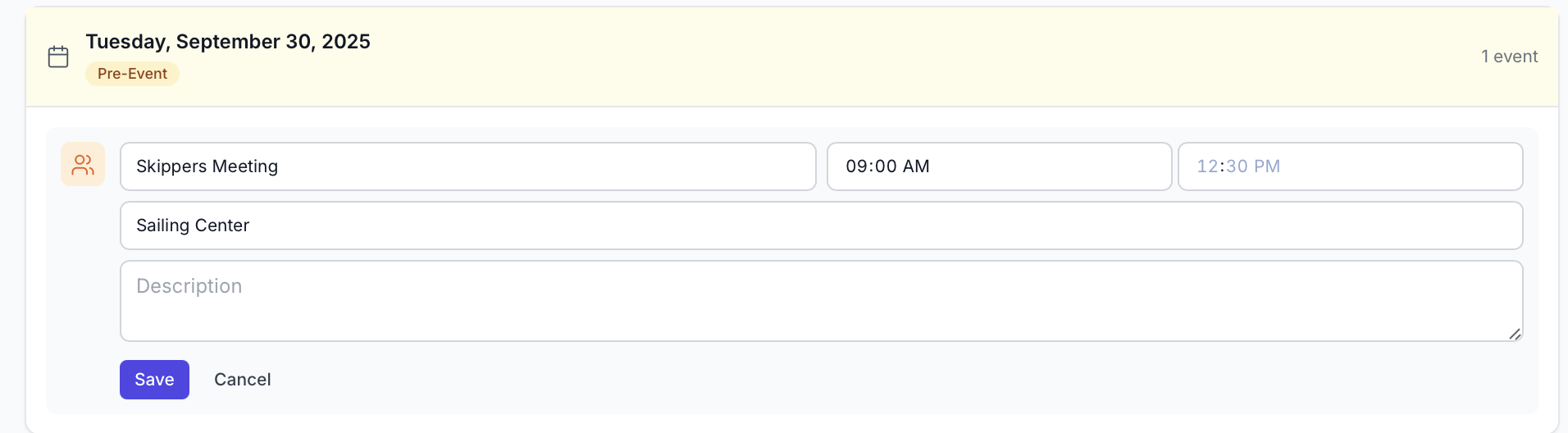
- Click edit and make small modifications to the event
Deleting the Event
- Navigate to the schedule tab on the regatta admin page
- Click the trash icon
- Confirm deletion