
Edit Entries
Editing Entries
Entry Action Buttons
Each entry provides quick action buttons for common management tasks:

Edit Button (Pencil Icon)
- Opens Edit Entry modal
- Modify boat details, fleet assignment, ratings
- Change skipper information
- Update racing specifications
View Details Button (Eye Icon)
- Navigate to Boat Detail Page
- See complete information including full crew details
- Access advanced crew management tools
- Review purchase and payment history
Archive Button (Archive Icon)
- Soft-delete entry (hides from active list)
- Preserves data for historical records
- Better than permanent deletion for withdrawals
Editable Info:
You can edit each overall entry as well as editing info on each crew that is part of a boat.
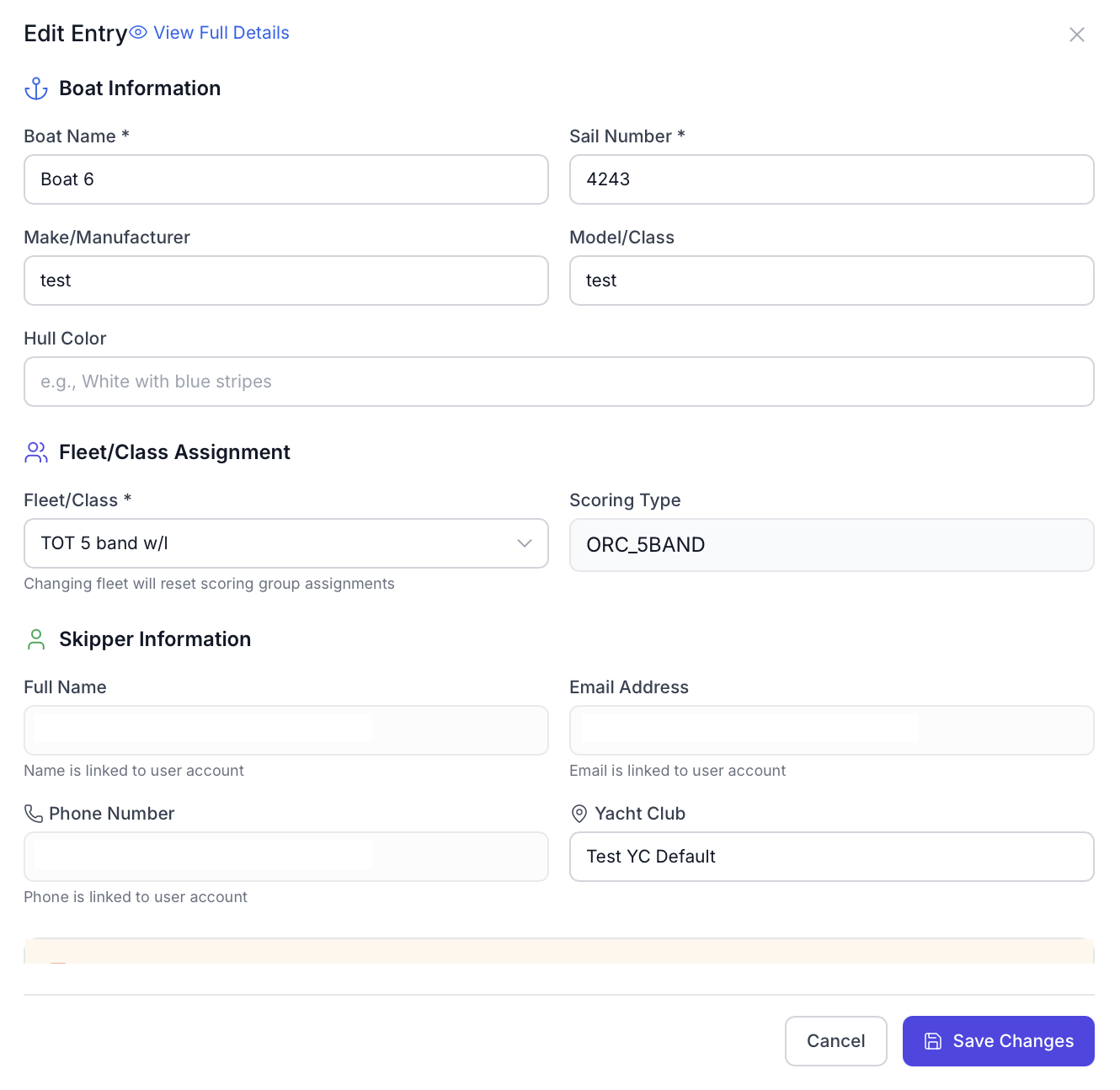
Boat Information
Here you can edit all of the information that a person put in for their boat when they signed up, including:
- Boat name
- Sail number
- Make
- Hull color
Fleet/Class Assignment
Here you can move boats to another fleet. Note that each boat has the scoring type set for the fleet it is registered for. When you change an entry's fleet, you will also change its scoring type. The system will not automatically ensure that all information (such as ratings) is updated.
Skipper Info
Most Skipper information (with the exception of Yacht Club) is not editable. Contact the skipper themselves if changes need to be made here.
Rating Info
Rating info is pre-populated based on whether or not it is a PHRF or ORC entry. All info entered during the initial registration will show up here. You will also have the ability to edit individual fields or look up a new ORC certificate.
Registration Status
Registration status can be modified. Registration status is automatically set to approved in a two cases:
- If you're accepting payments via Stripe and a payment is successfully made
- Immediately after registration if the entry fee is free
Emergency Contact
You can view and modify a skipper/owner's emergency contact.
Note: All changes must be saved before exiting.
Editing Crew Info
The process of editing an individual crew's info is similar, albeit with less information present. When the full crew toggle is on, each crew name will show and there will be a small edit icon next to their name.
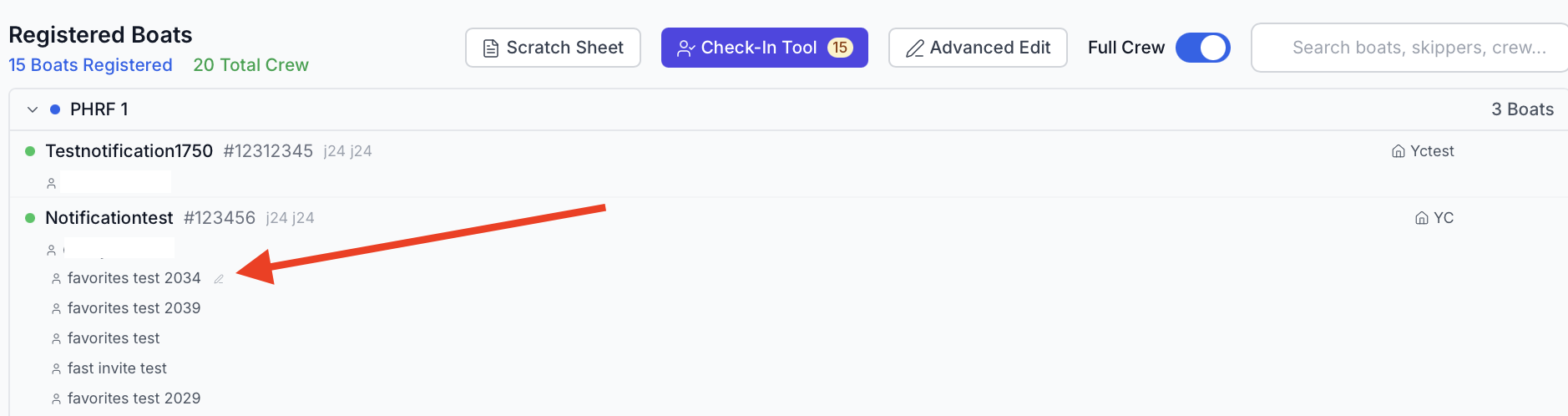
This will load an edit box that shows the crew information and allows admins to edit some of it.
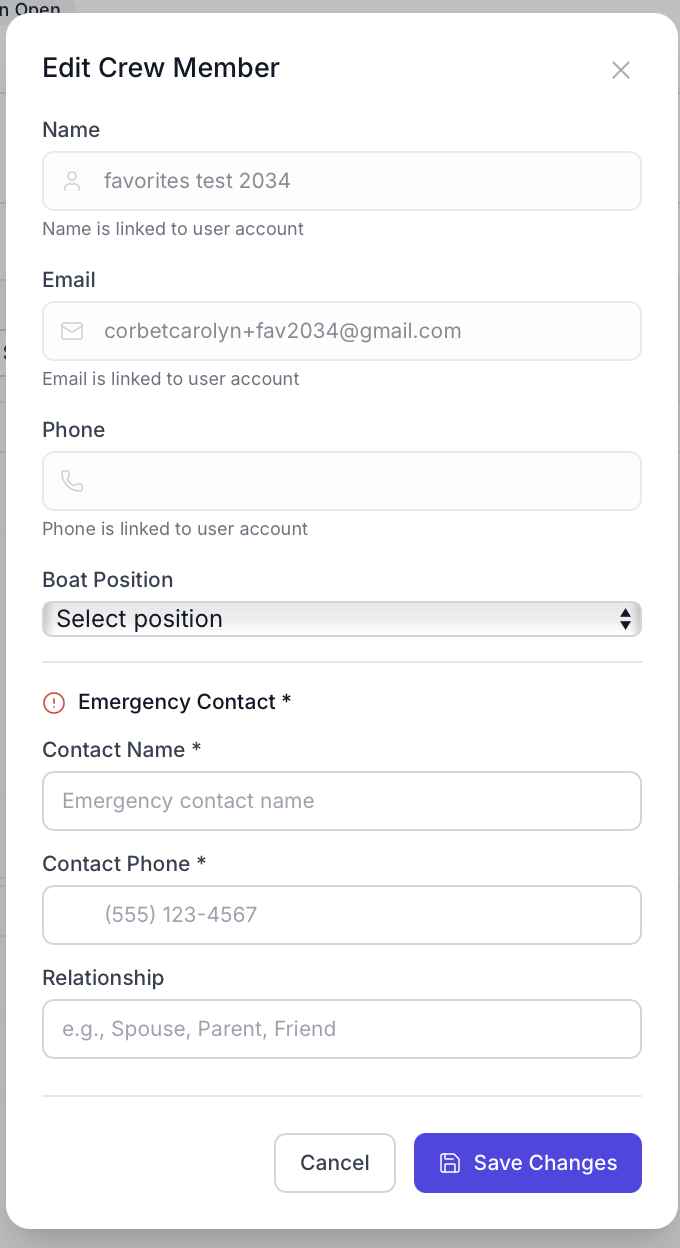
Make any modifications as needed and save changes.