Notice Board
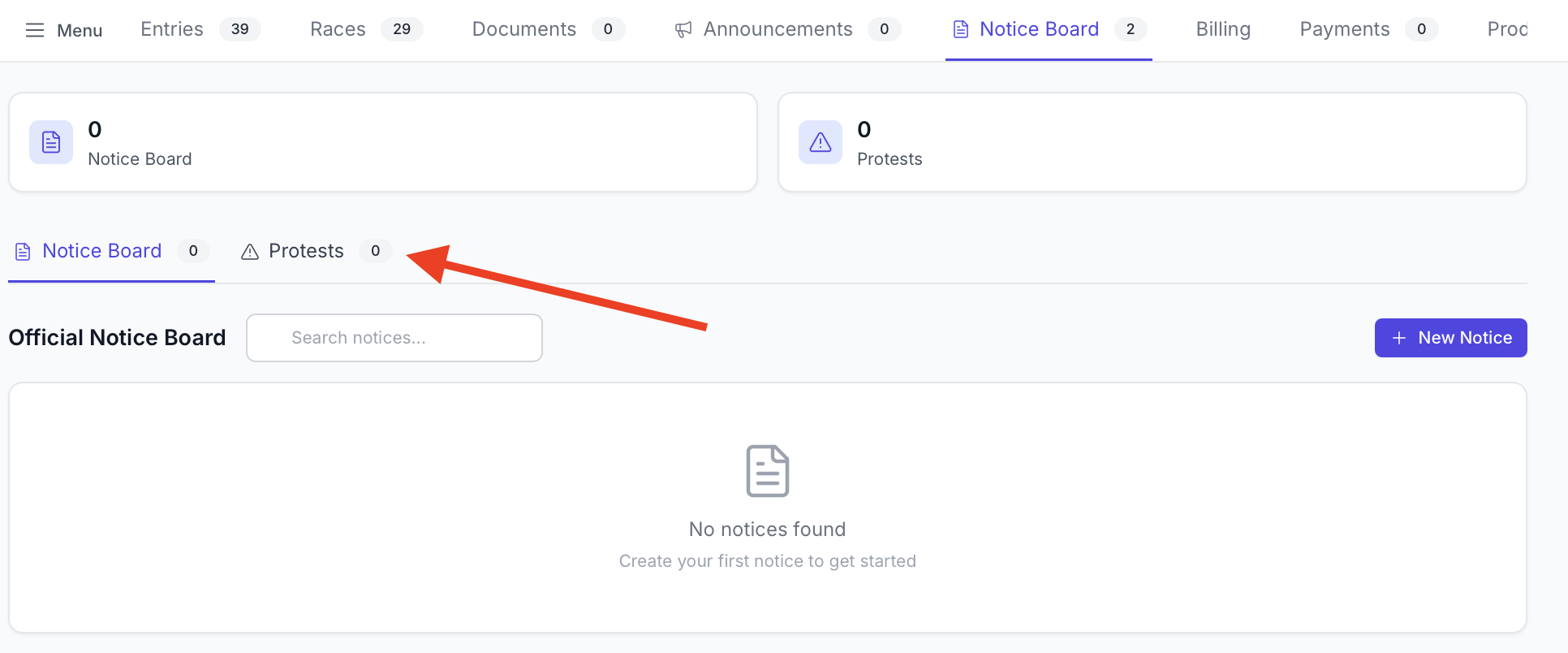
The notice board tab offers the online equivalent of an official notice board and offers a method of communication with competitors completely separate from the announcements functionality.
Notice Board
The Notice Board has two main sub-parts:
- Notice Board posts
- Protests
The majority of this guide will focus on Notice Board posts. Protests are covered in their own guide.
Accessing the Notice Board
The notice board can be found by going to the regatta admin page and selecting the notice board tab.

Notice Types
RegattaHub supports five official notice types:
1. General Notice
2. Docking Times
3. SI/NOR Amendment
4. Race Announcement
How to Make a Notice Board Post
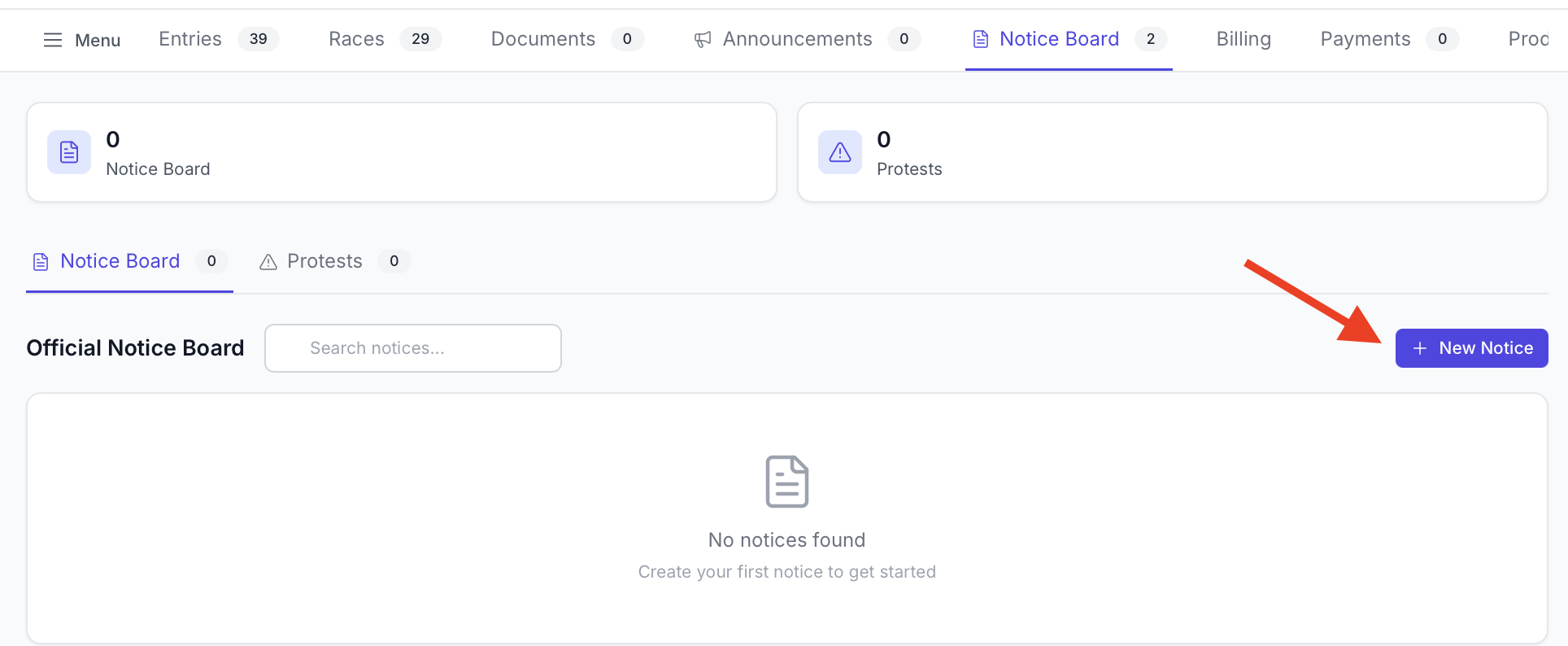
- Click "New Notice" button in the top-right
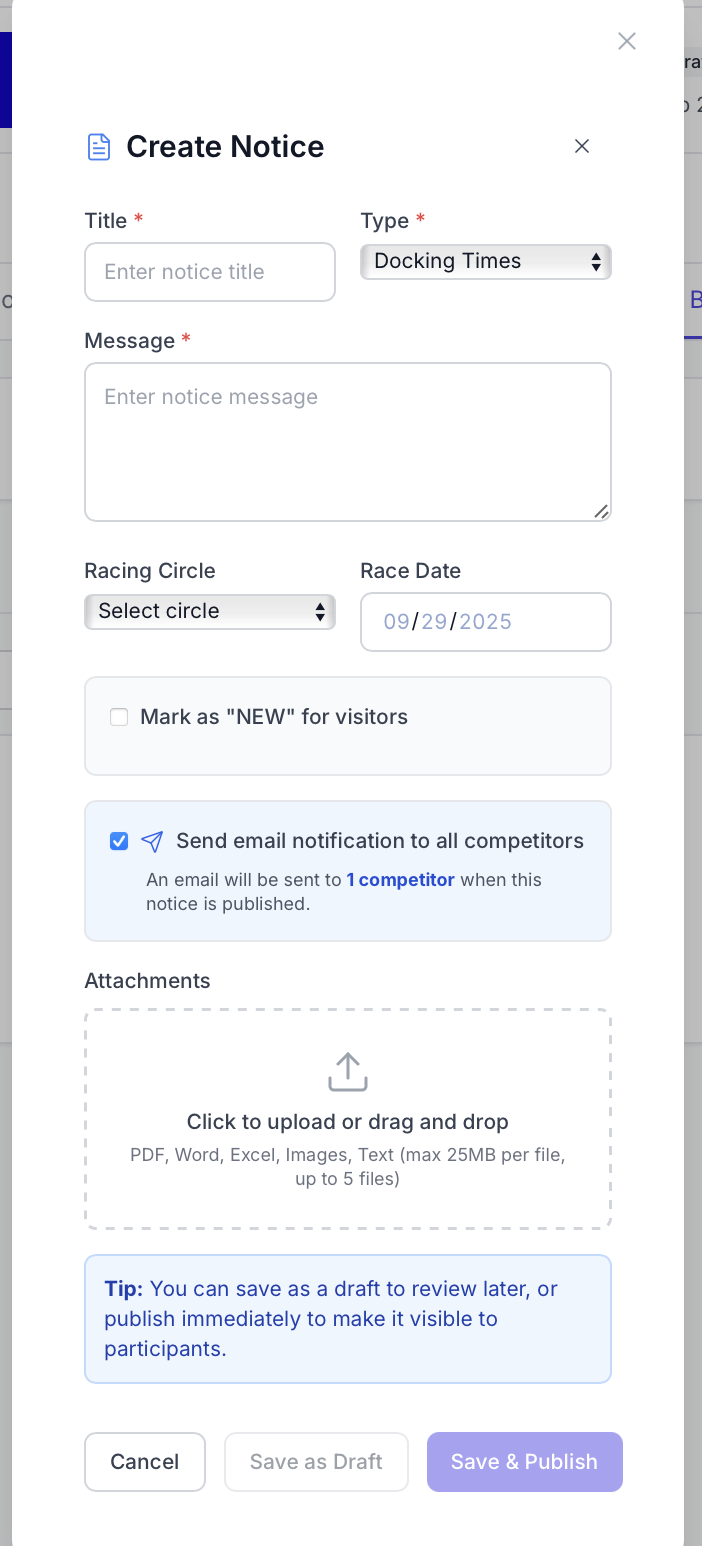
- Fill out the form
- Enter notice title
- Select notice type from dropdown
- Choose the appropriate type for your notice
- Type determines badge color and available options
- Enter notice message
- Optional: Select Racing Circle (for Docking Times and Race Announcements only)
- Optional: Select Race Date (for Docking Times and Race Announcements only)
- Optional: Mark as "NEW"
- Check "Mark as NEW for visitors"
- Set expiration date and time
- mb-6
- NEW badge helps draw attention to recent notices
- Optional: Add attachments
- Upload PDFs, images, or documents
- Maximum 10 MB per file
- Optional: Email notification
- Check "Send email notification to all competitors"
- System displays recipient count
- mb-6
- Email sent when notice is published
- Save as Draft or Publish
- mb-6
- Draft: Not visible to participants, can edit freely
- mb-6
- Publish: Immediately visible, email sent if checked
Email Notifications
How Email Works
- Check "Send email notification to all competitors"
- System counts recipients (all boat owners and crew with emails)
- Only includes approved or pending entries
- Email sent when notice is published (or via manual send button)
Email Content Includes:
- Notice title as subject line
- Full notice text
- Links to any attachments
- Link to regatta page
- mb-6
- Your configured "From Name" and "Reply-To" email
Modify Amendments
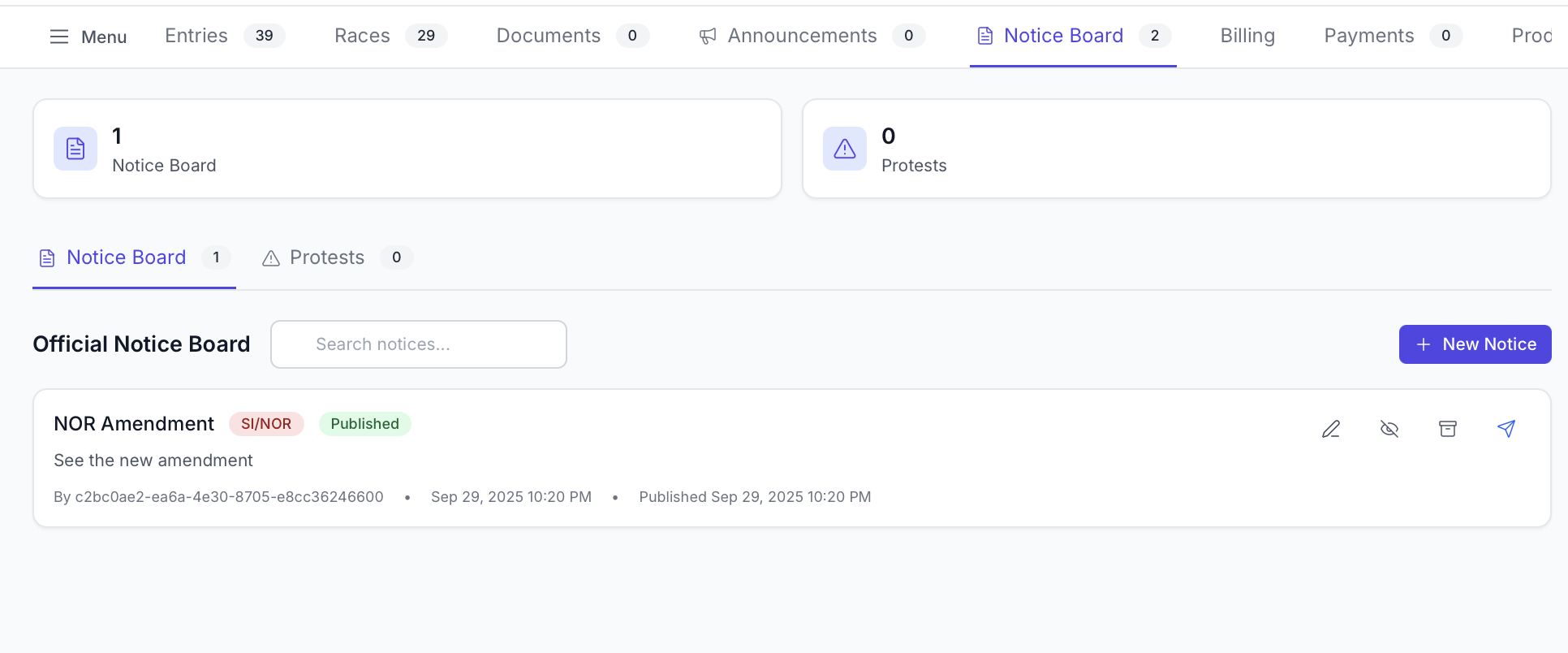
After creation, Notice Board posts can be modified. This can be done by navigating to the Notice Board tab, finding the list of notices, and pressing the pencil icon. You can also optionally unpublish it or archive it.
- Fill out the form
Protests
Protests are covered in detail in another guide. However, they can be found on the second tab of the Notice Board.