Accessing User Settings
Manage your profile, boats, crew, password, and notification preferences
Overview
The Account Settings page allows you to modify and manage important information about your RegattaHub account. From this central location, you can:
- Edit your profile information
- Manage favorite boats for quick registration
- View and remove past crew members
- Change your password
- Control in-app notifications
Accessing Your Settings
-
Log in to your account
Visit app.regattahub.com and enter your credentials.
-
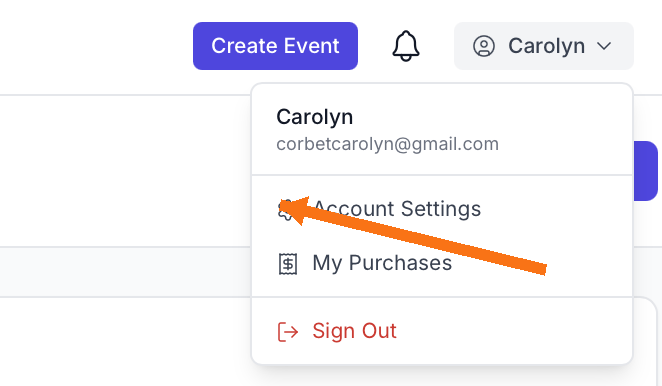
Click on your name in the upper right corner
A dropdown menu will appear with your account options.
-
Select "Settings"
This opens your Account Settings home page.
What You Can Do in Settings
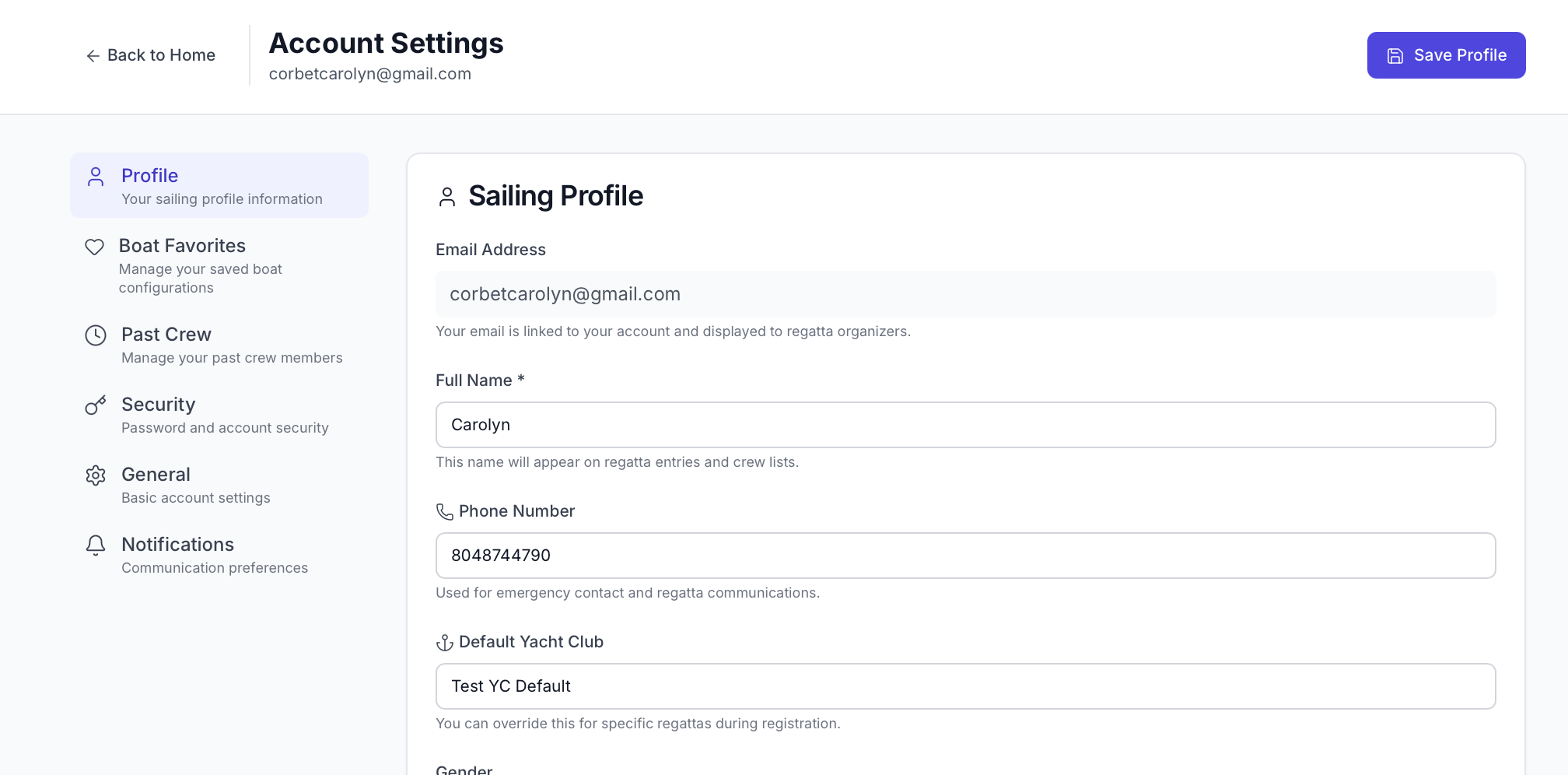
Once you're on the Account Settings page, you'll see several sections:
- Profile: Edit your personal information such as name, email, and sailing experience
- Boat Favorites: Add, edit, or remove boats you frequently use for registration
- Past Crew: View crew members from previous events and remove entries from your history
- Password: Change your account password to keep your account secure
- Notifications: Enable or disable specific in-app notifications
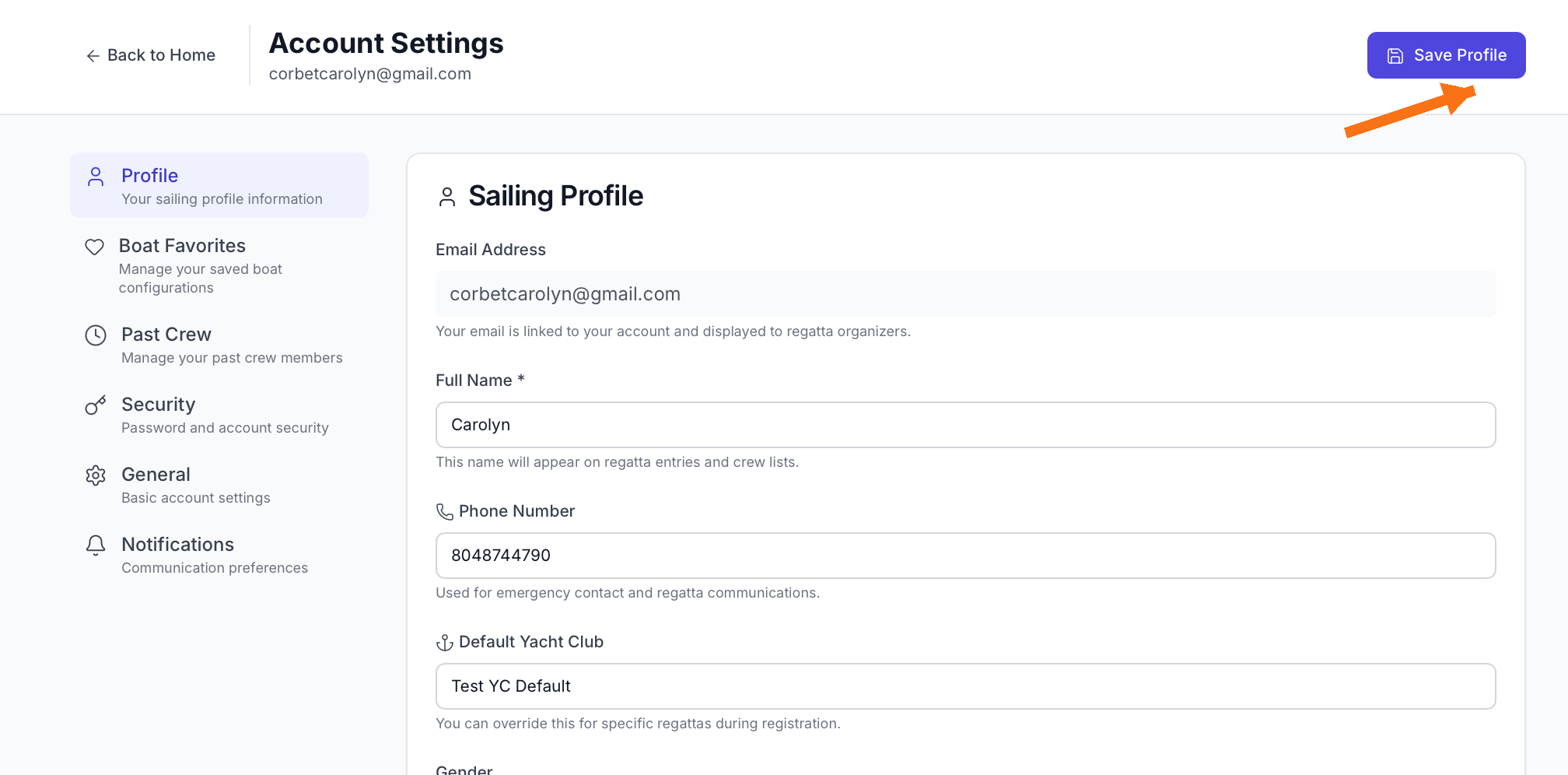
After making any changes in Account Settings, you must click the "Save" button in the upper right corner to apply your changes. Your modifications will not be saved until you do.
Related Tasks
Once you've configured your account, you're ready to:
- Review your account creation process
- Register for your first regatta
- Update your boat preferences before registering for events