
Creating an Account
Get started with RegattaHub by creating your free account
Overview
Users must have a RegattaHub account to register for an existing event, create an event, or accept a crew invite. In addition to these, accounts allow you to:
- Keep a profile with your sailing information
- Save favorite boats for quick registration
- Access past crews easily for future events
- Manage in-app notifications and preferences
Creating an Account
-
Navigate to the login page
Go to app.regattahub.com/login
-
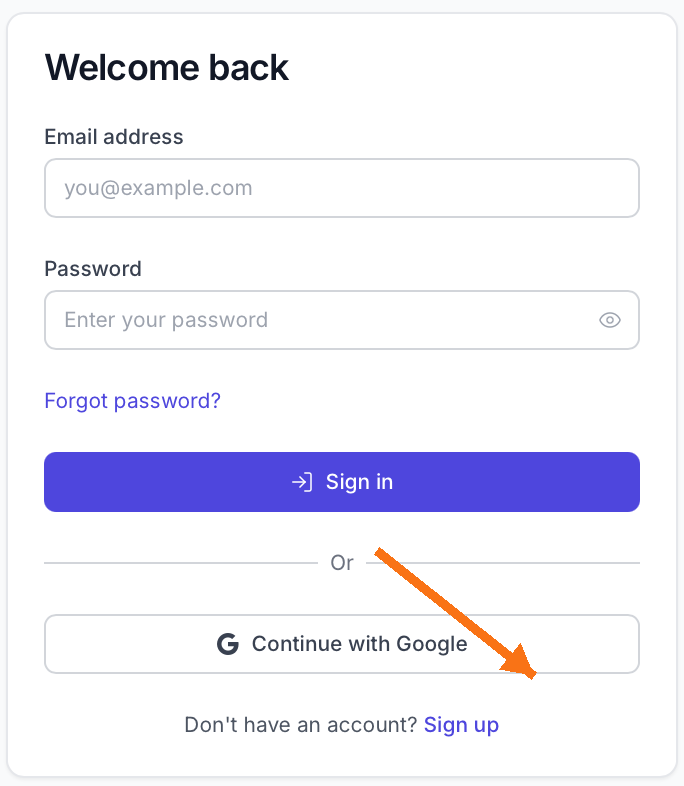
Click "Don't Have an Account? Sign up"
This link is located below the login form.
-
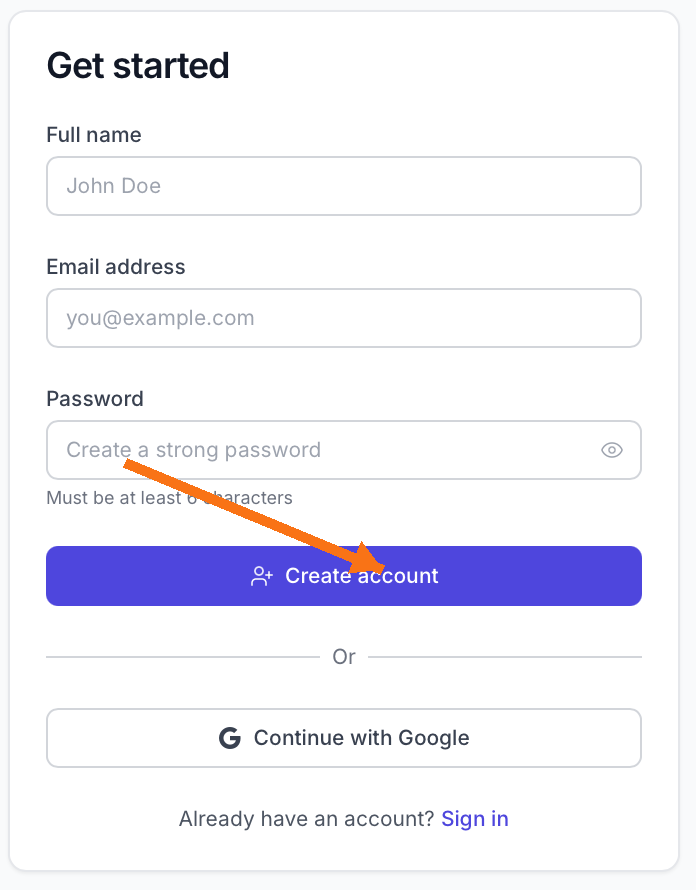
Fill in your account information
Enter your name, email address, and create a password. Alternatively, you can sign up with Google for faster registration.
-
Confirm your account
Check your email inbox for a confirmation message from RegattaHub. Click the verification link to activate your account.
-
Log in
Return to app.regattahub.com/login and sign in with your new credentials.
Signing up with Google is the fastest way to create an account and eliminates the need to remember another password.
Next Steps
Once your account is created, you can:
- Register for your first event
- Update your profile and settings
- Browse upcoming regattas on the homepage