
Importing Vakaros Results
Import race results from a Vakaros RaceSense XLSX export directly into your regatta.
Overview
The Vakaros import tool lets you bring race results from a RaceSense XLSX export into RegattaHub. It can create races (if they don’t already exist) and record finishes for any boats it can match to entries in your regatta.
Imports match boats by sail number. If your RegattaHub entries don’t have sail numbers that match your RaceSense export, you’ll see many “unmatched” boats (and they’ll be skipped).
Prerequisites
- Admin access to the regatta
- At least one fleet/class set up in the regatta
- A Vakaros RaceSense export file in .xlsx format
- Entries in RegattaHub with sail numbers that match the Vakaros file (recommended)
Where to find “Add via Vakaros”
In the Admin dashboard for your regatta, open the Races tab and click Add via Vakaros.
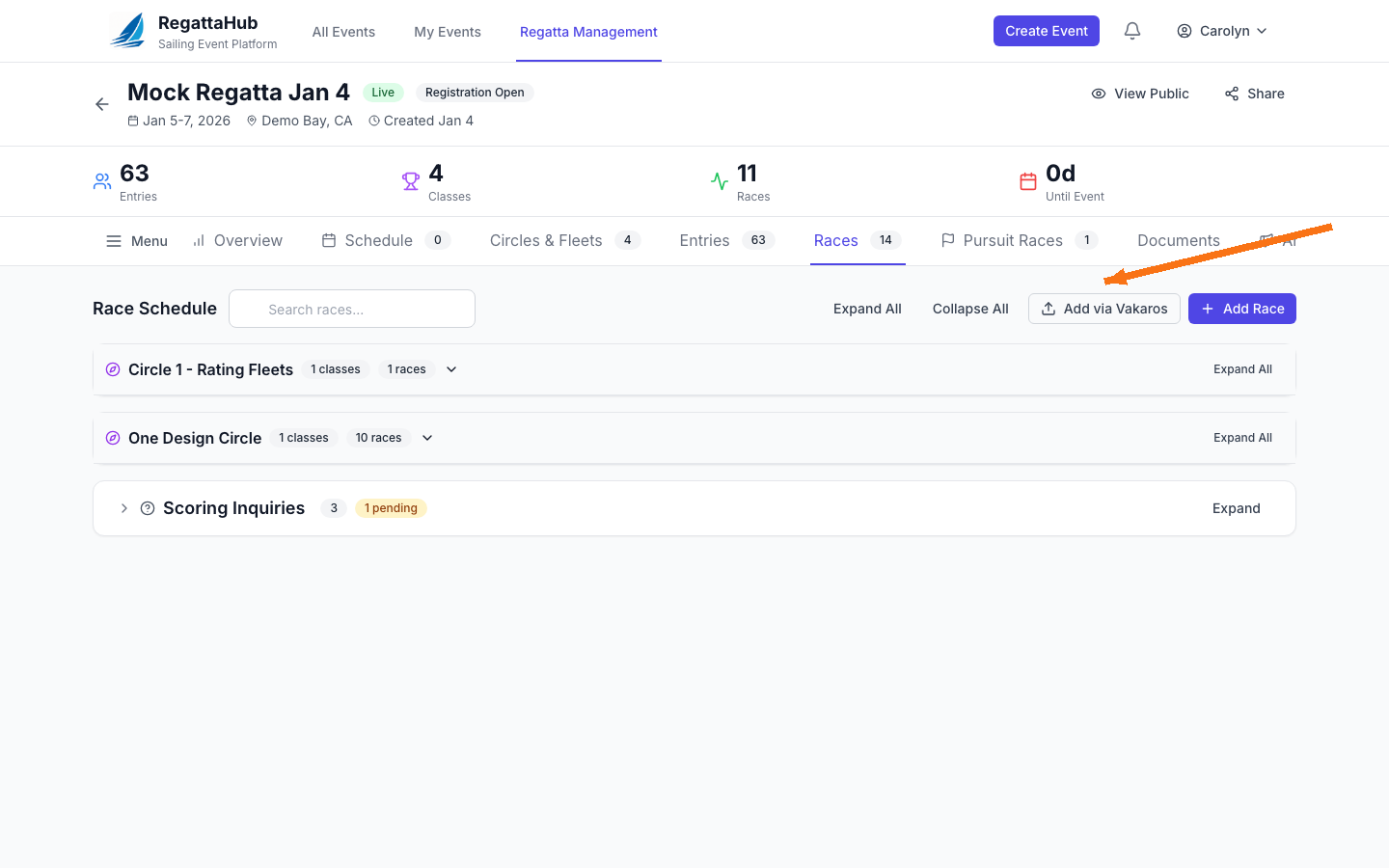
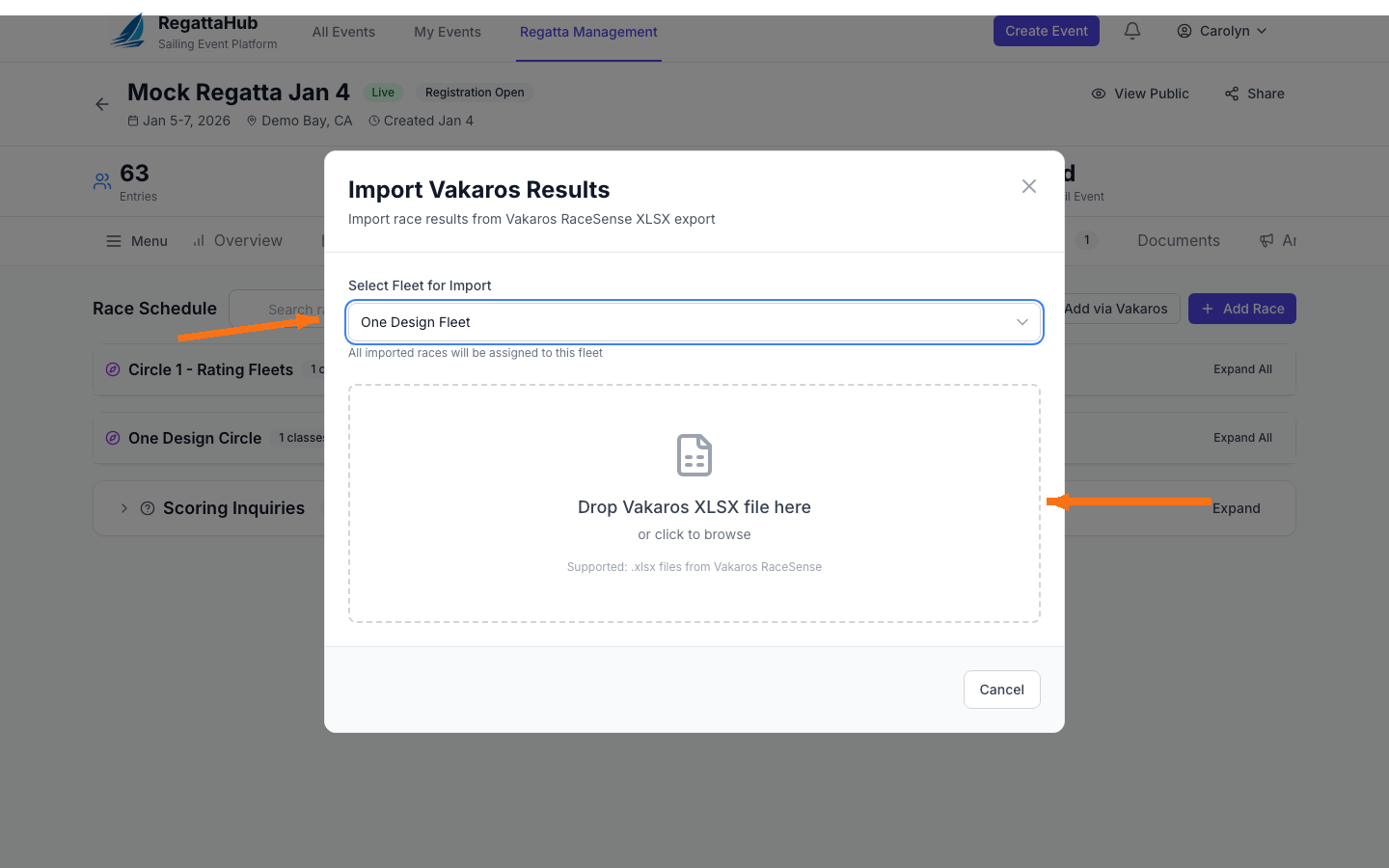
Step 1: Select a fleet and upload your XLSX
- Choose the fleet/class you want the imported races to belong to.
- Drag-and-drop your Vakaros XLSX file into the upload area (or click to browse).
File upload is disabled until you select a fleet.
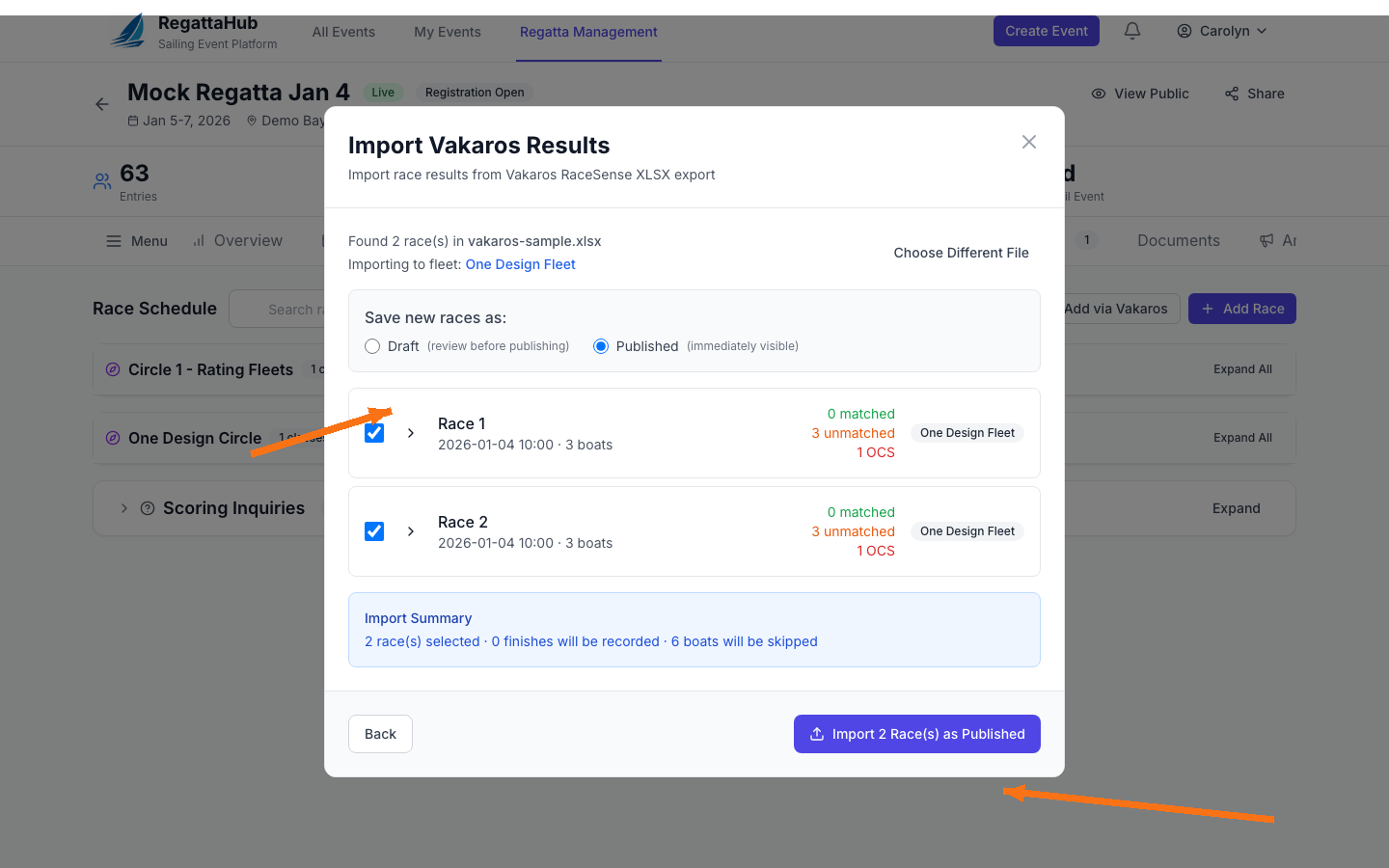
Step 2: Review the preview and select races
After upload, RegattaHub scans your file and shows a preview of the races it found. You can:
- Choose whether new races should be saved as Draft or Published
- Select which races to import (checkbox per race)
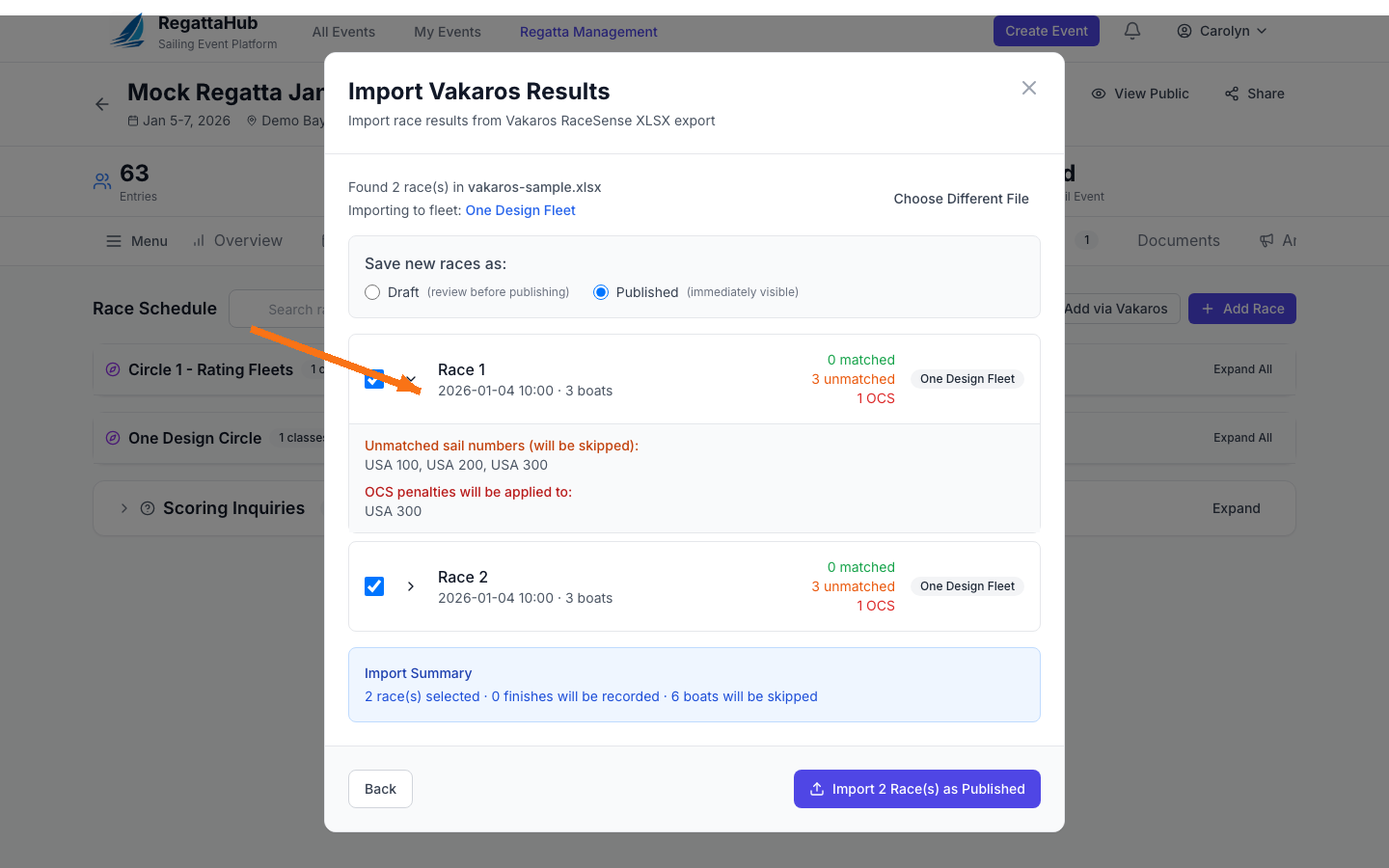
- Expand a race row to see additional details (like unmatched sail numbers and OCS flags)
Understanding “matched”, “unmatched”, and OCS
- Matched: sail numbers in the file match entries in your regatta; those finishes can be recorded.
- Unmatched: sail numbers in the file do not match any entry; those boats are skipped.
- OCS: boats flagged as OCS in the file; OCS penalties are applied during import.
Step 3: Import
When you’re satisfied with the preview, click the import button (for example, Import 2 Race(s) as Published).
- New races are created as Draft or Published based on your selection.
- Finishes are created only for boats that are matched to entries in RegattaHub.
- Unmatched sail numbers are skipped (shown in the preview).
Troubleshooting
“0 matched” / lots of unmatched boats
- Confirm each RegattaHub entry has a sail number filled in.
- Ensure sail numbers match the RaceSense export formatting (spacing, prefixes like “USA”, leading zeros).
- If you changed sail numbers after the RaceSense export, re-export from RaceSense and try again.
Warnings in the preview
The preview may show warnings if the file contains incomplete races or unexpected status values. Expand race rows to see exactly what will be skipped or flagged before importing.