
Publishing/Unpublishing a Regatta
Once you’ve successfully created your regatta and configured its basic settings, classes, and waivers, it’s time to bring your regatta to life by publishing it and managing incoming entries.
Not ready for a real event?
Test all RegattaHub features with mock data — no payment setup required.
Learn how to create a mock regattaOnce you’ve successfully created your regatta and configured its basic settings, classes, and waivers, it’s time to bring your regatta to life by publishing it and managing incoming entries. This section will guide you through publishing your regatta to make it visible to participants, understanding the admin dashboard, and effectively managing entries as they come in.
This is where your regatta transitions from setup mode to active management. You’ll learn how to monitor registrations, review boat and crew information, manage payments, verify waivers, and handle all the day-to-day tasks of running a regatta on RegattaHub.
You should have:
- Admin or organizer permissions for the regatta
- Completed all required regatta configuration
- Your regatta in “draft” status ready to publish
Part 1: Understanding Regatta Status
Draft vs. Published Status
Every regatta in RegattaHub exists in one of two states:
Draft Status

A regatta in draft status is:
✓ Visible only to you and other organizers
✓ Not searchable by participants
✓ Not available for registration
✓ Fully editable without restrictions
✓ Perfect for testing and configuration
When to use Draft:
- While you’re still setting up the regatta
- When major changes need to be made
- During planning and coordination with your team
- Before you’re ready to accept entries
Published Status

A regatta in published status is:
✓ Visible to all users
✓ Searchable on the RegattaHub homepage
✓ Open for participant registration
✓ Listed in regatta calendars
✓ Accessible via direct link and regatta slug
When to publish:
- When all configuration is complete and tested
- When you’re ready to accept entries
- When you want to open registration
- When all pricing and products are finalized
The Registration Window
Publishing your regatta doesn’t just change its visibility—it opens the registration window. Once published:
- Participants can find your regatta in search results and listings
- Registration forms become active allowing entries to be submitted
- Payment processing begins (for paid entries)
- Email notifications start being sent for registrations
- Entry counters update in real-time as registrations come in
While you can unpublish a regatta, doing so will close registration and may confuse participants who have already entered. Only unpublish if absolutely necessary.
Part 2: Publishing Your Regatta
How to Publish Your Regatta
Once you’ve completed your pre-publishing checklist:
- Navigate to the admin page for your regatta
- Click Publish Event

- Review the confirmation message explaining what publishing means:
- Your regatta will be visible to all users
- Registration will open immediately
- Participants can start submitting entries
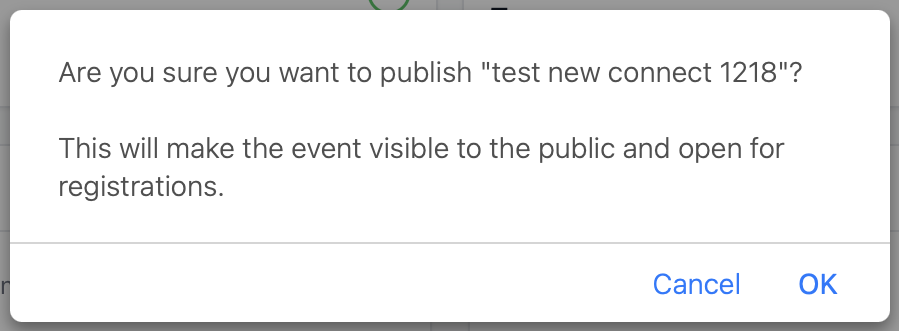
- Click “OK” to publish
- Verify publication - You should see:
- Status badge changes from “draft” to “Live”
- Event Status changes from “draft” to “Published”
- The “Publish Event” button changes to “Unpublish Event”
- Your regatta becomes visible to participants
After publishing, your regatta will immediately appear in public listings. Make sure all information is accurate before publishing.
What Happens When You Publish
The moment you publish your regatta, several things occur automatically:
- Public Visibility
- Your regatta appears on the RegattaHub homepage
- It’s searchable by name, location, and date
- The regatta detail page becomes publicly accessible
- Registration Opens
- The registration button becomes active on your regatta page
- Participants can click “Register” and start the entry process
- Entry forms are validated and processed
- URLs Activate
- Your regatta slug becomes a working public URL
- Direct links can be shared with participants
- Social sharing works correctly
- Notifications Begin
- You’ll receive notifications for new entries
- Participants receive confirmation emails
- Payment receipts are sent automatically
- Dashboard Updates
- Entry counters start tracking registrations
- Statistics cards reflect real-time data
Unpublishing a Regatta
If you need to temporarily close registration or make significant changes:
- Navigate to the admin page for your regatta
- Click Unpublish Event
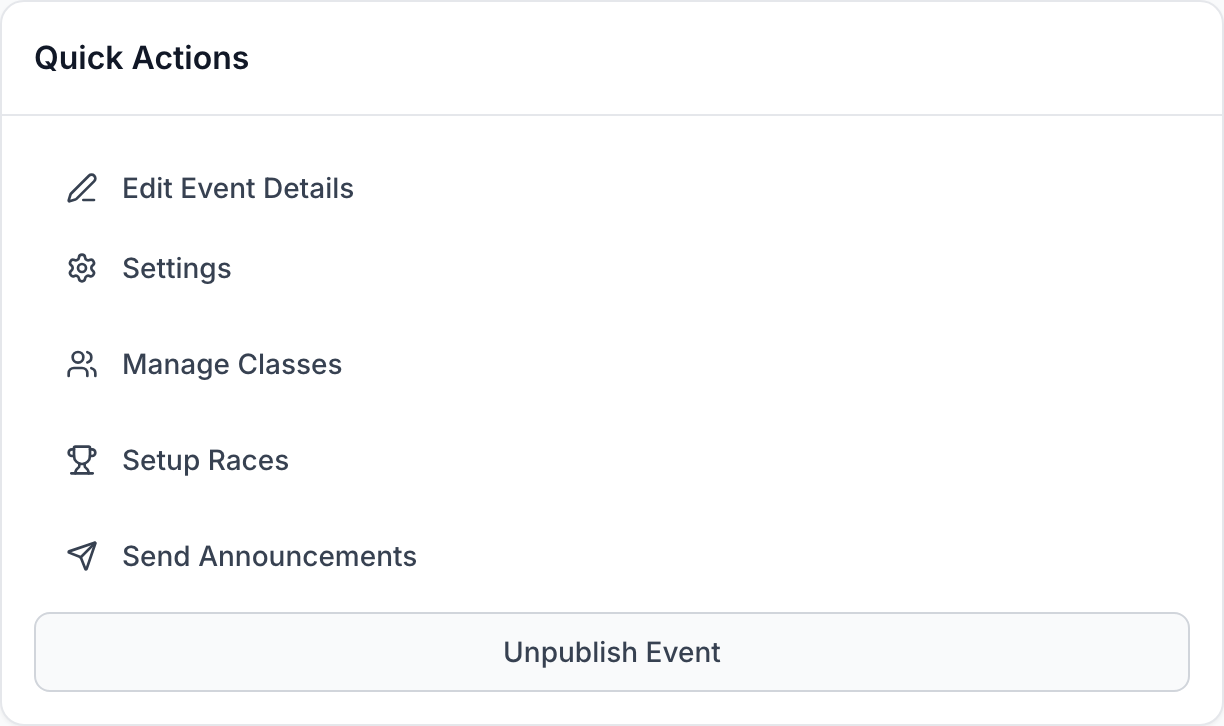
- Confirm you’re sure you want to unpublish
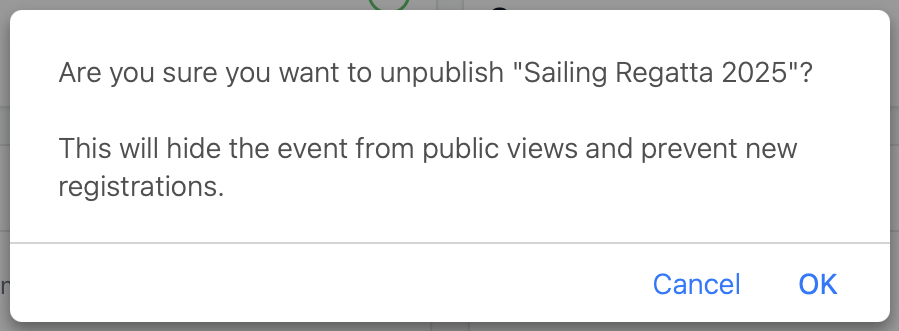
What happens when you unpublish:
- Registration closes immediately
- Regatta is removed from public listings and search
- Existing entries are not affected
- You can continue making changes and publish again when you’re ready
Unpublishing should be done sparingly. Participants who have already entered may be confused. Consider adding an announcement instead of unpublishing if you need to communicate changes.