
Inviting Crew
Add crew members to your boat registration and manage their participation in the regatta
Inviting crew to register for your boat is a core functionality that allows for an accurate entries list and helps regatta organizers track all participants. This guide explains how to add crew members to your registration and manage their invitations.
When to Add Crew
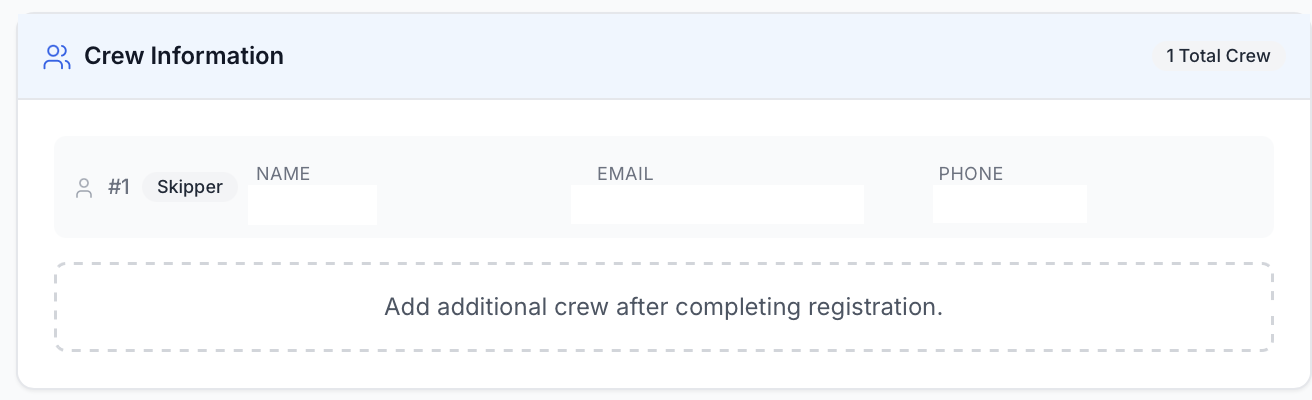
Crew should be added after registration is complete. The skipper is automatically added during registration as the primary entry. Crew members cannot be added until your initial registration is completed.
How to Add Via My Events Page
-
Navigate to My Events Page
Click on "My Events" in the main navigation to see all your registered regattas.
-
Click Manage on a specific registration
Find the regatta you want to add crew to and click the "Manage" button.
-
Navigate to crew members and click edit
In the upper right corner, locate the crew members section and click the "Edit" button.

-
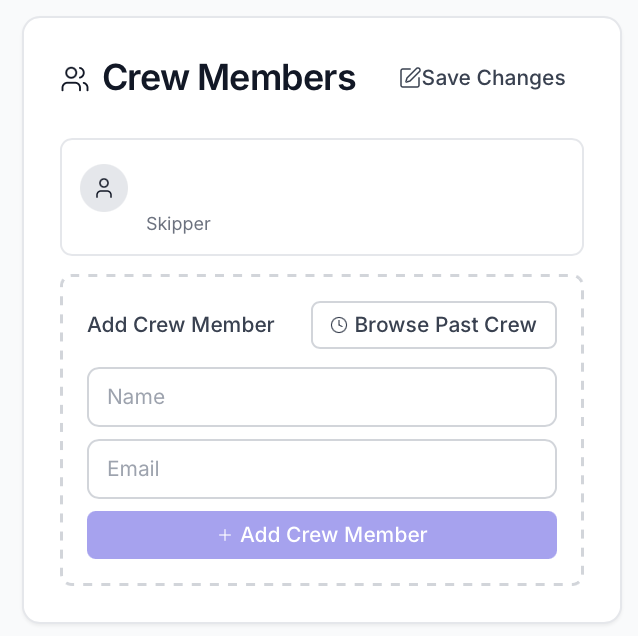
Add a crew member name and email address
Enter the crew member's full name and email address. Alternatively, you can browse past crew members to quickly populate this information.
-
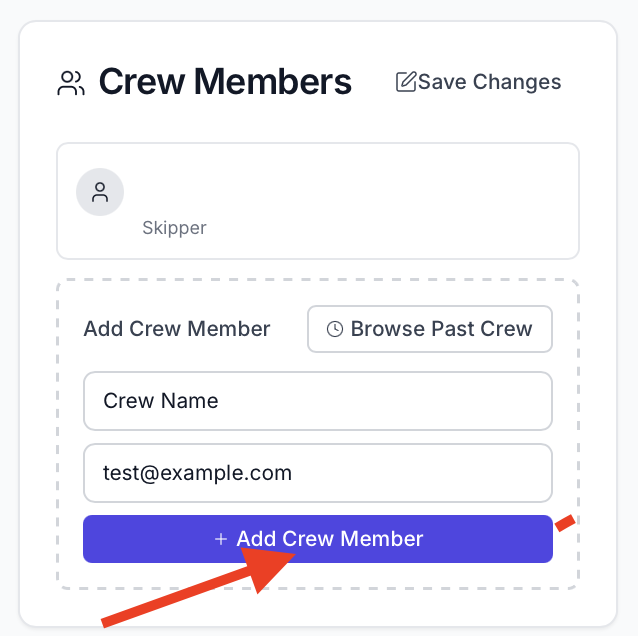
Click "Add Crew Member"
After entering the name and email, click the "Add Crew Member" button to add them to the list.
-
Add more crew members as needed
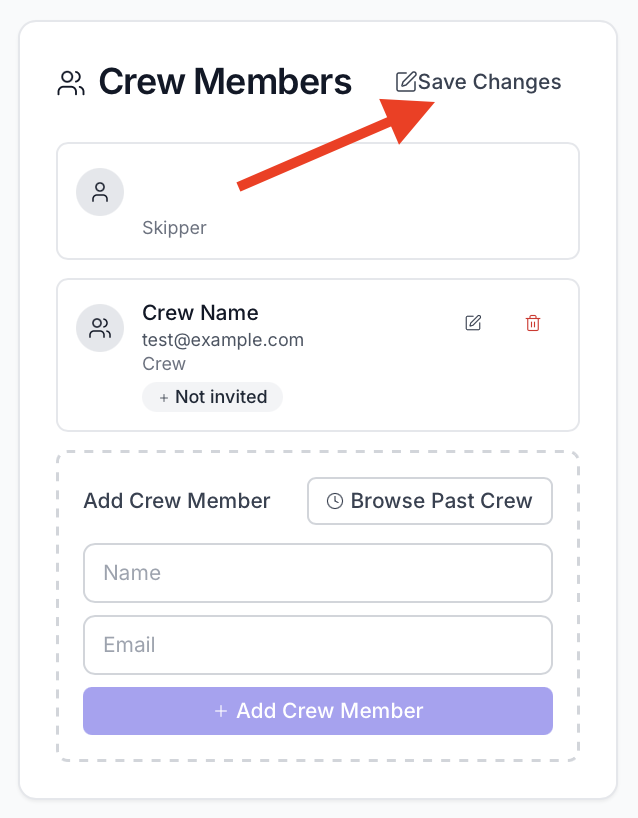
Repeat the process for additional crew members. When finished adding all crew, click "Save Changes" to confirm.
-
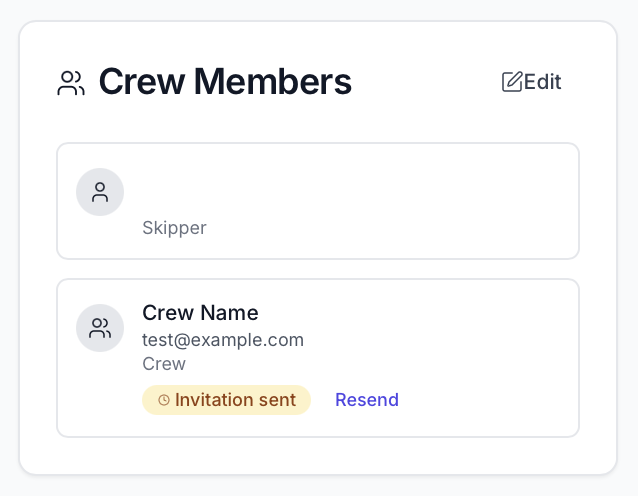
View crew invite status and resend if needed
After saving, you will see a list of all crew members with their invite status. If needed, you can resend invitations to crew members who have not yet accepted.
What Happens After Sending an Invite?
After you send an invite, the crew member will receive an email with a link to accept the invitation. To accept the invite, crew members will need to create a RegattaHub account if they don't already have one, and complete their profile information.
Accepting an Invite
- Click the link in the invite email to start the acceptance process
- Create an account if needed and complete their profile information
- Fill in regatta-specific registration info that is required for this particular regatta
- Complete the process to be added as a crew member to your boat
Managing Crew Invite Status
- Navigate to the My Events page
- Find your registration for the regatta
- View and edit crew member information as needed. Note that you will not have access to edit all of the boat information from the crew perspective.
Crew members can only edit information relevant to their participation, such as their emergency contact details and personal information. Major registration changes should be made by the skipper.