
Managing Racing Certificates
Upload boat rating certificates and manage handicap information for competitive sailing
Racing certificates are essential documents that validate your boat's handicap ratings for competitive sailing. RegattaHub supports multiple rating systems including ORC and PHRF. This guide will help you understand certificate requirements, upload certificates during registration, and manage them throughout the regatta season.
How RegattaHub Tracks Ratings
RegattaHub has two core functionalities for keeping track of ratings:
- Entering ratings during registration: The rating information you input goes into the database and is actually used for calculating corrected time in race scoring.
- Uploading a certificate: This information is for verification purposes only. It is not automatically used for calculating corrected time, but helps organizers verify your boat's rating.
Uploading a Certificate
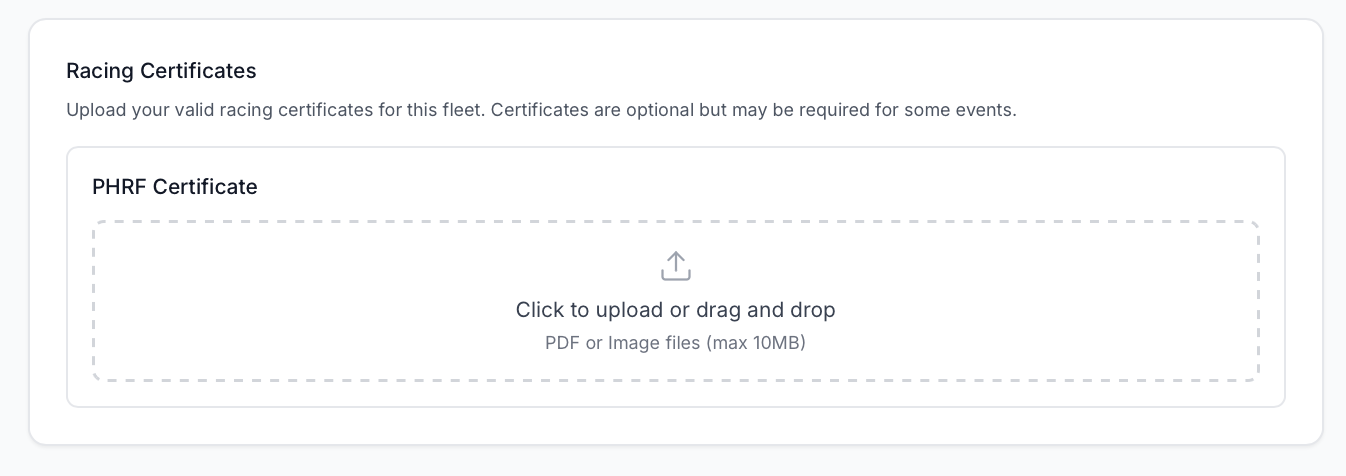
You can upload a PDF certificate during registration or afterwards via the My Events page. While certificate upload is not required during registration, the regatta organizers may make it mandatory for certain classes.
During Registration
If you select a class that utilizes handicap ratings, you will see a certificate upload box during registration. Note that this will only appear after you've selected the fleet you're participating in.
After Registration
You can also upload or update your certificate after registration using the My Events page. See the "Navigating My Entry Page" guide for more details.
Entering Ratings During Registration
During registration, you will also need to enter the ratings for each fleet's scoring type. This section appears after you select the fleet you're registering for.
For PHRF
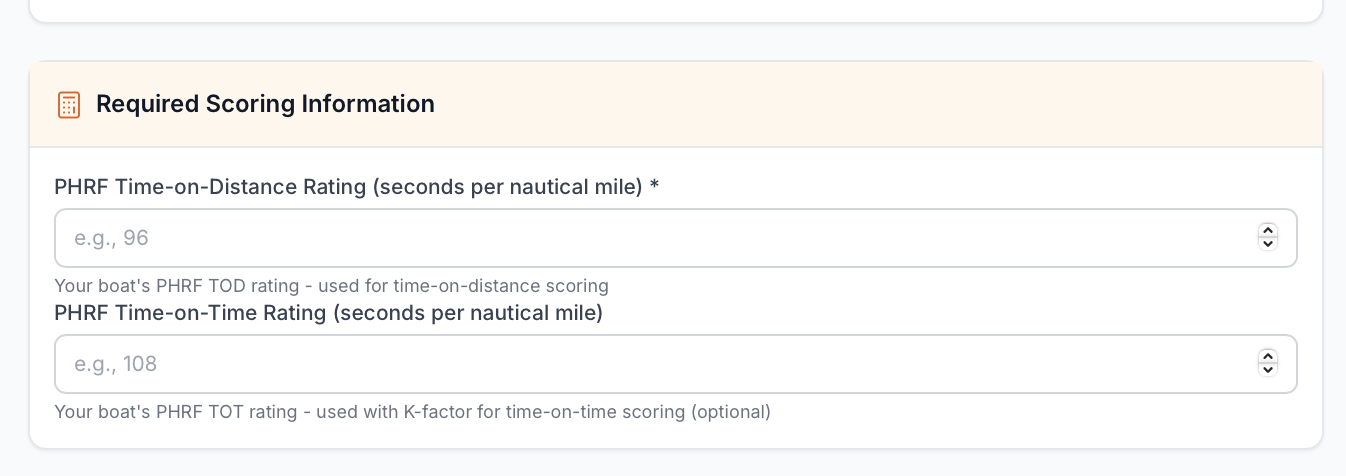
PHRF (Performance Handicap Racing Fleet) uses a relatively simple handicap system requiring just one rating number.
For ORC
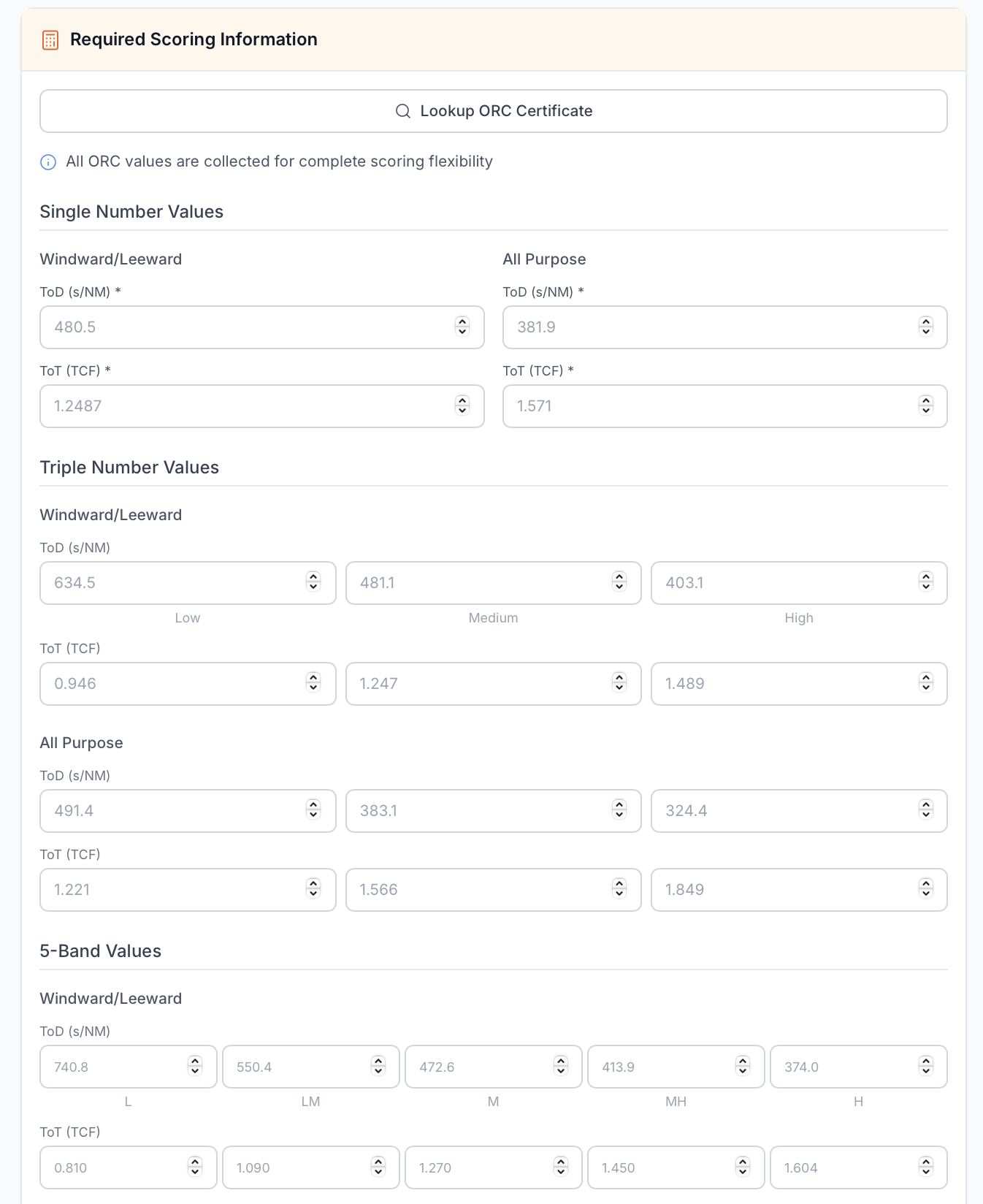
ORC (Offshore Racing Congress) uses a more comprehensive rating system requiring multiple values to support different scoring types. You will see a longer list of fields because more values are needed for all the scoring variations.
You do not have to enter all the values; however, exercise caution with this approach because missing values may disrupt scoring calculations. It's recommended to provide all available values from your certificate.
ORC Certificate Lookup Tool
To help speed up the registration process, RegattaHub provides an ORC Certificate Lookup tool. This feature automatically populates all required scoring information fields based on your boat's ORC certificate using the official API.
To use this tool, you need:
- Your boat's sail number
- Your boat's name
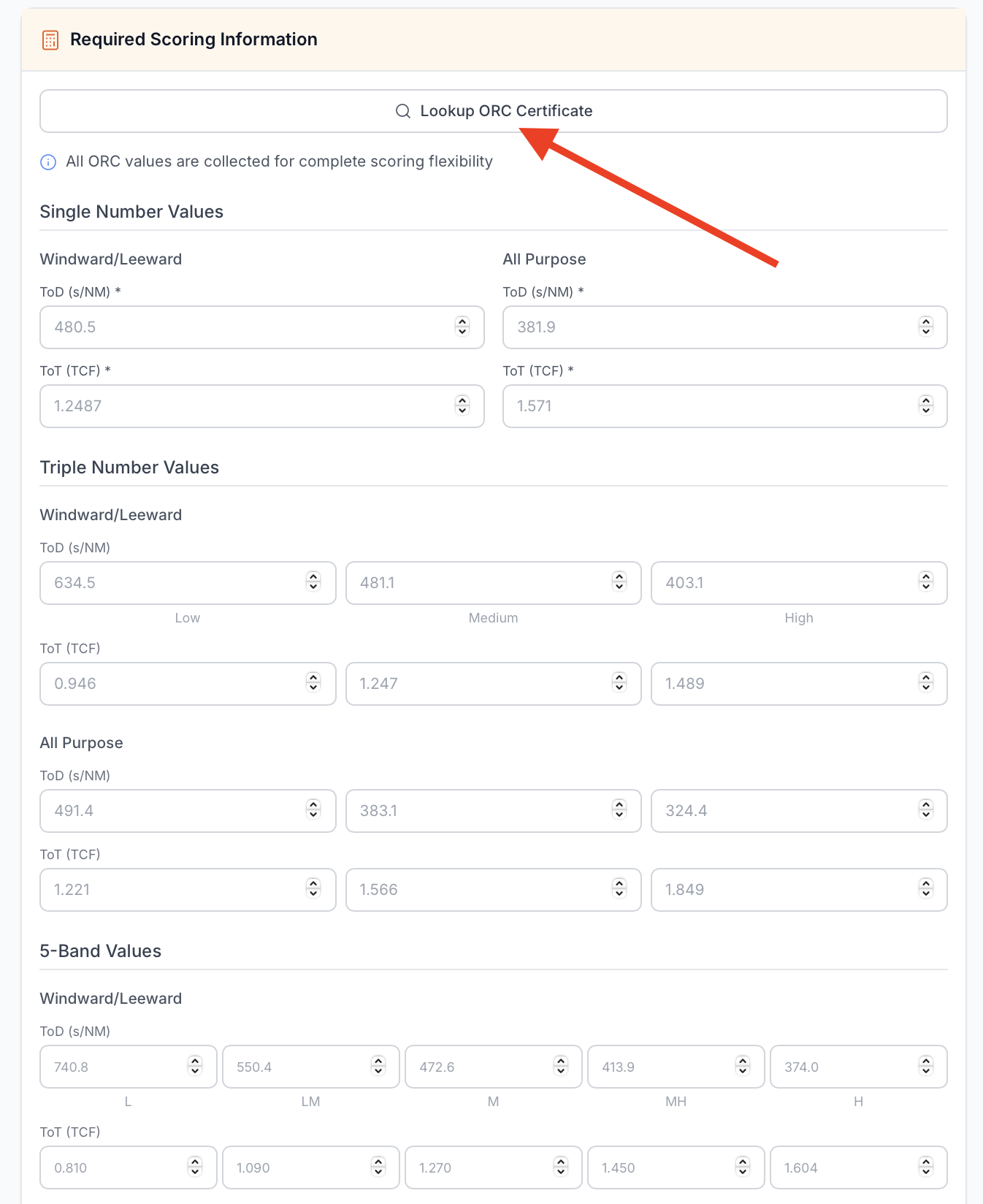
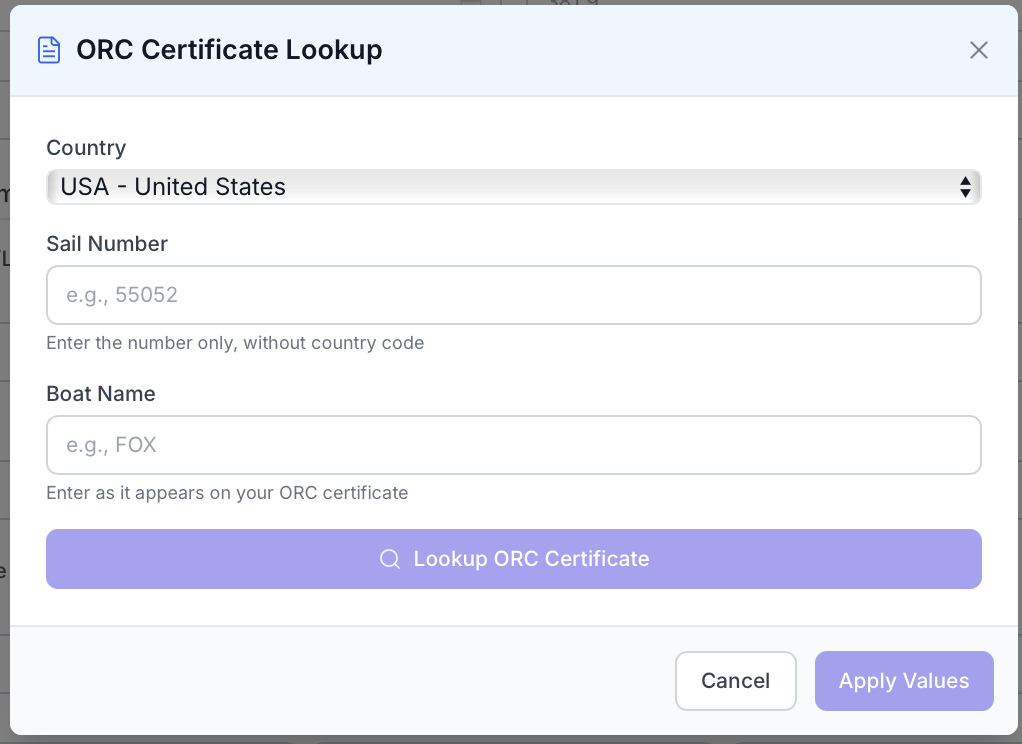
If a certificate is correctly found, you will see the following confirmation:
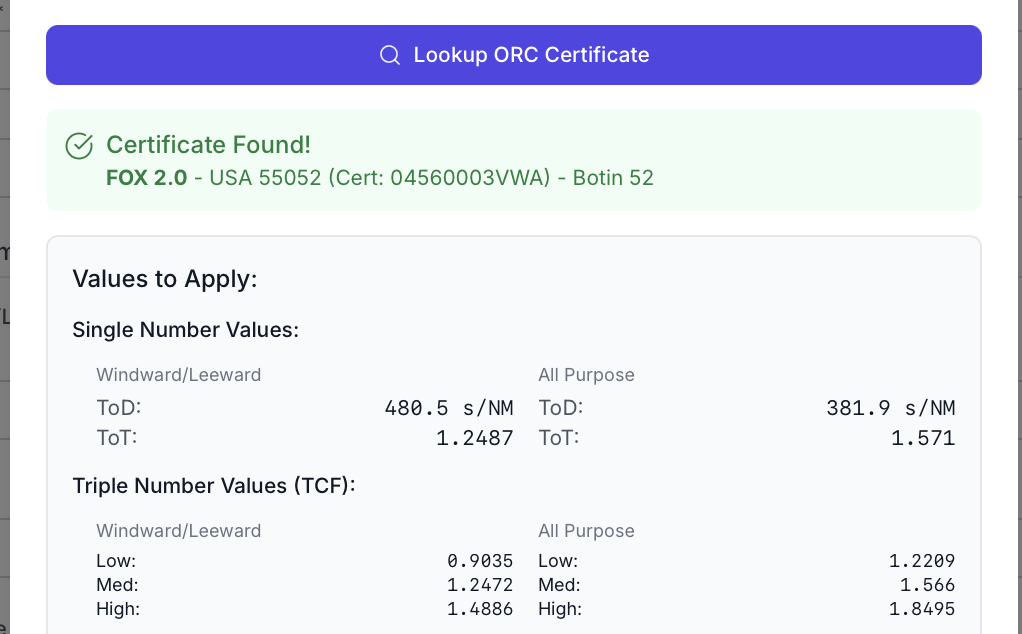
The ORC lookup tool populates TOT (Time on Time) and TOD (Time on Distance) values for the following scoring formats:
- Single Number All Purpose and W/L
- Triple Number All Purpose and W/L
- Five Band All Purpose and W/L
The ORC lookup tool is provided for convenience only. All values should be verified before submitting your registration. We cannot guarantee these values are 100% accurate, so please double-check against your official certificate.