
Pursuit Races: Viewing Start Times
Find your start time for a pursuit race and switch between offsets and exact times
Pursuit races use staggered starts so boats with different handicaps can race on the same course and finish close together. In RegattaHub, pursuit races are currently supported for TOD (Time on Distance) fleets.
If your regatta doesn’t have a TOD (PHRF Time on Distance) fleet, you may not see pursuit races. If you do see the Pursuit Races tab but a course is marked Draft, the posted times aren’t official yet.
Open the Pursuit Races Tab
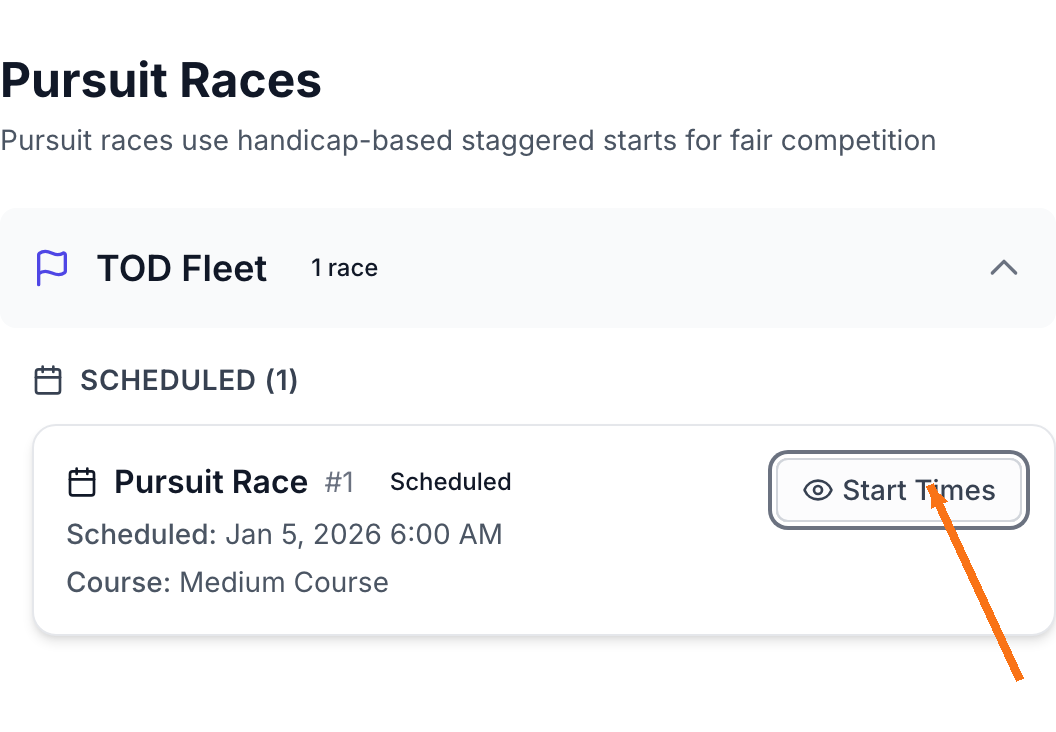
- Open your regatta’s public page.
- Click the Pursuit Races tab.
- Find your race in the TOD Fleet section.
- Click Start Times.
Choose a Course (and Check Its Status)
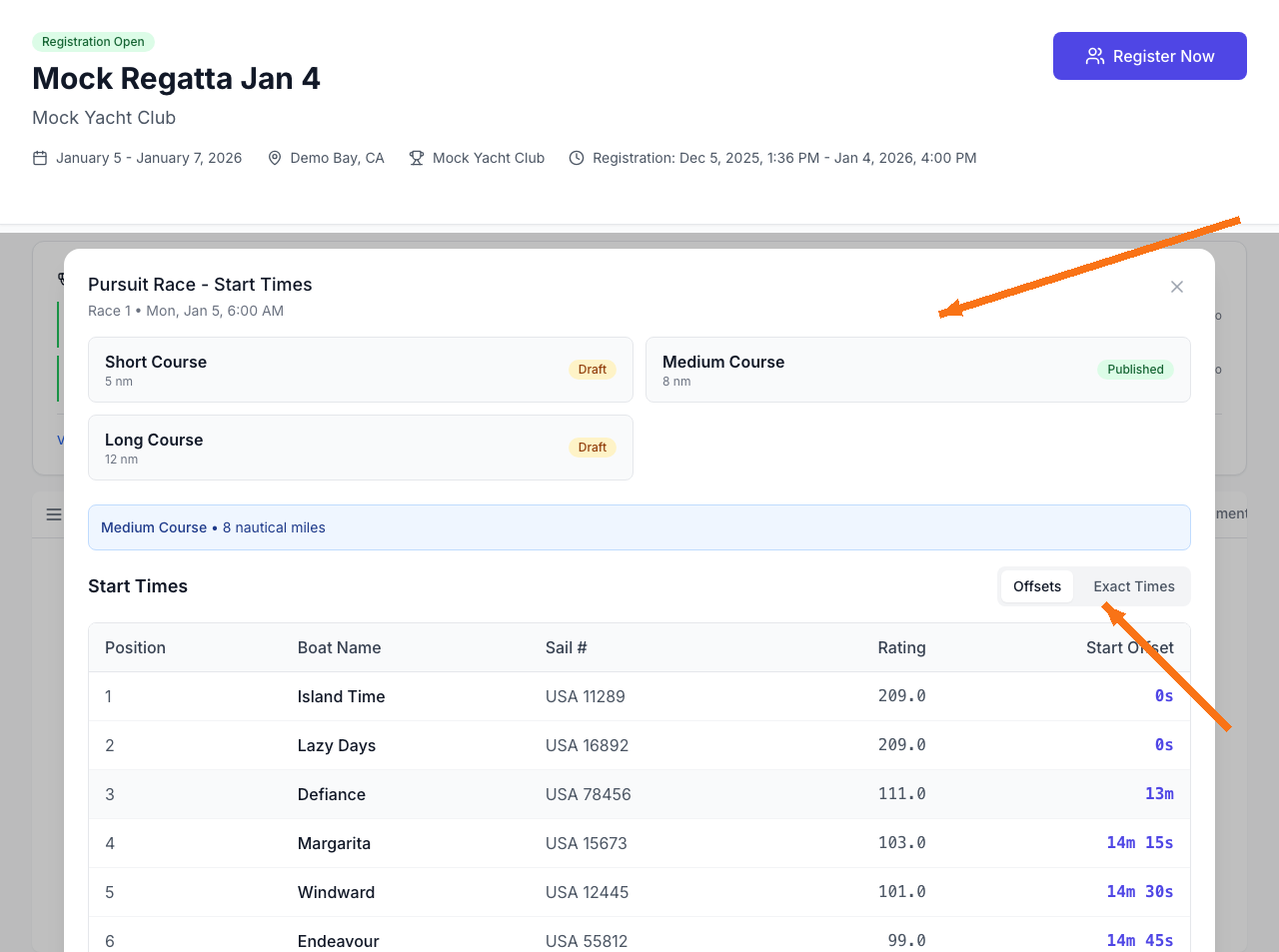
A pursuit race can include multiple course options (for example, Short / Medium / Long). When you open Start Times:
- Published courses are the official start times competitors should use.
- Draft courses are still being prepared and may change.
- Click a course tile to view start times for that course.
Offsets vs Exact Times
Start times can be shown two ways:
- Offsets shows how long after the first boat you should start (for example, 14m 15s).
- Exact Times shows the clock time you should start (based on the race’s “First Start” time).
Troubleshooting
I don’t see Pursuit Races
- The regatta may not be running pursuit races.
- Pursuit races are supported for TOD fleets; other fleet types won’t show pursuit race start times.
Courses are marked Draft
Draft course start times can change. Check the regatta’s Announcements / Notice Board, or confirm with race committee when start times are finalized.