
Pursuit Races (TOD): Setup (Create & Edit)
Create a pursuit race in a PHRF Time-on-Distance fleet and maintain its configuration
Pursuit races use staggered starts (slower boats start first; faster boats start later) so boats can finish close together. In RegattaHub, pursuit races are currently supported for TOD (PHRF Time on Distance) fleets.
This article covers setup only (create/edit, timing guardrails, and course distance options). For publishing start times, exports, entering finishes, and publishing results, see Pursuit Races (TOD): Start Times & Results.
Pursuit races are single-class. Create a pursuit race under a TOD fleet (PHRF Time on Distance) and configure one to five course distance options. Start times are generated from each boat’s handicap and the selected distance.
Before You Begin
- Confirm you have a TOD fleet: Pursuit races are supported for PHRF Time on Distance fleets. If your regatta doesn’t have a TOD fleet, create one in Circles & Fleets first.
- Have entries and ratings ready: Start times are generated from each boat’s handicap profile. If ratings are missing, some boats may not get valid start times.
- Plan your course distances: Course distance options are used to generate offsets. Choose realistic nautical-mile distances that match your race committee’s intended course options.
Need help configuring fleets? See Creating a Regatta: Fleets/Classes.
Open the Pursuit Races Admin Tab
- Open your regatta in the Admin Dashboard.
- Click the Pursuit Races tab.
- Click Create Pursuit Race to start a new pursuit race in the TOD fleet.
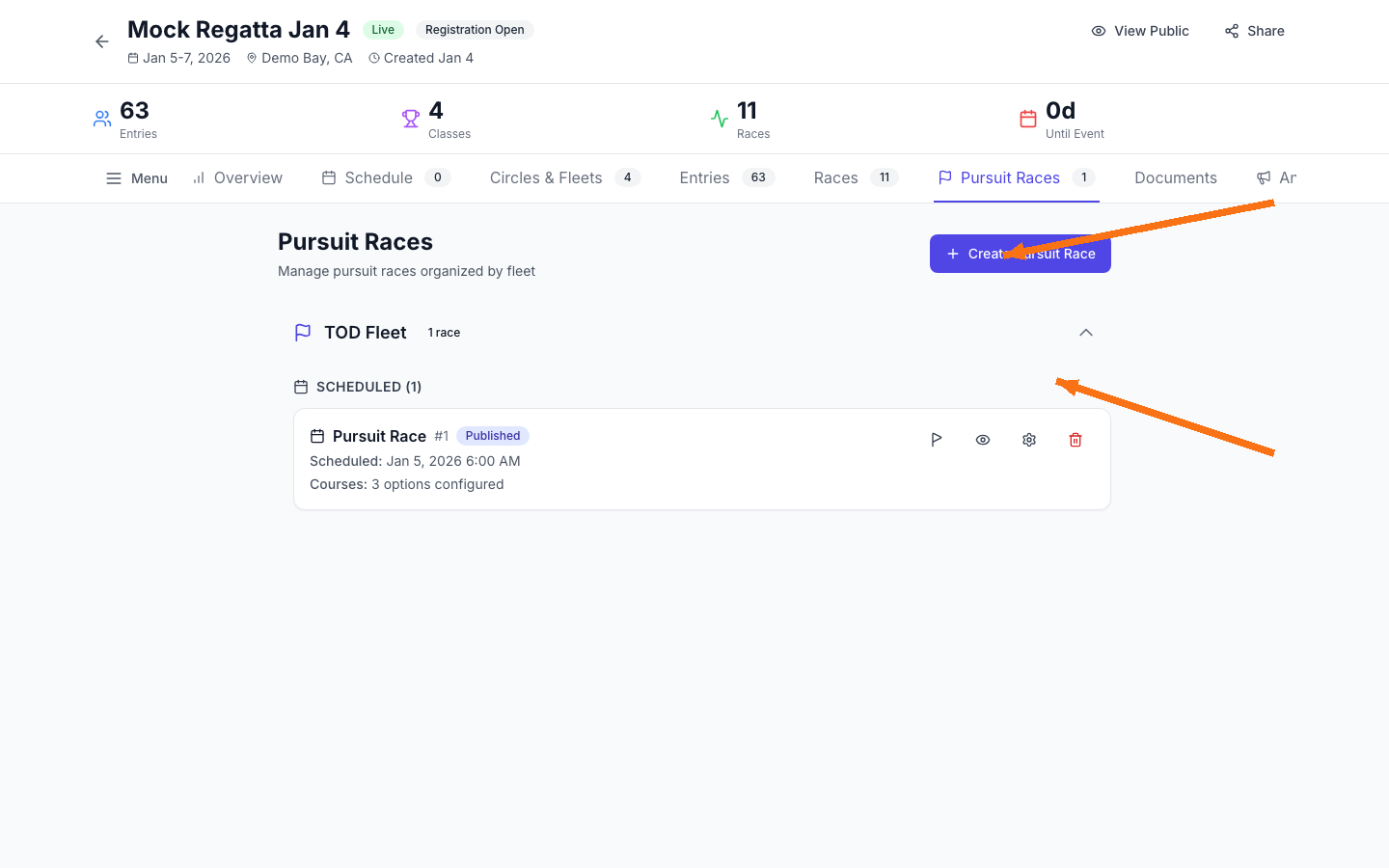
Create a Pursuit Race
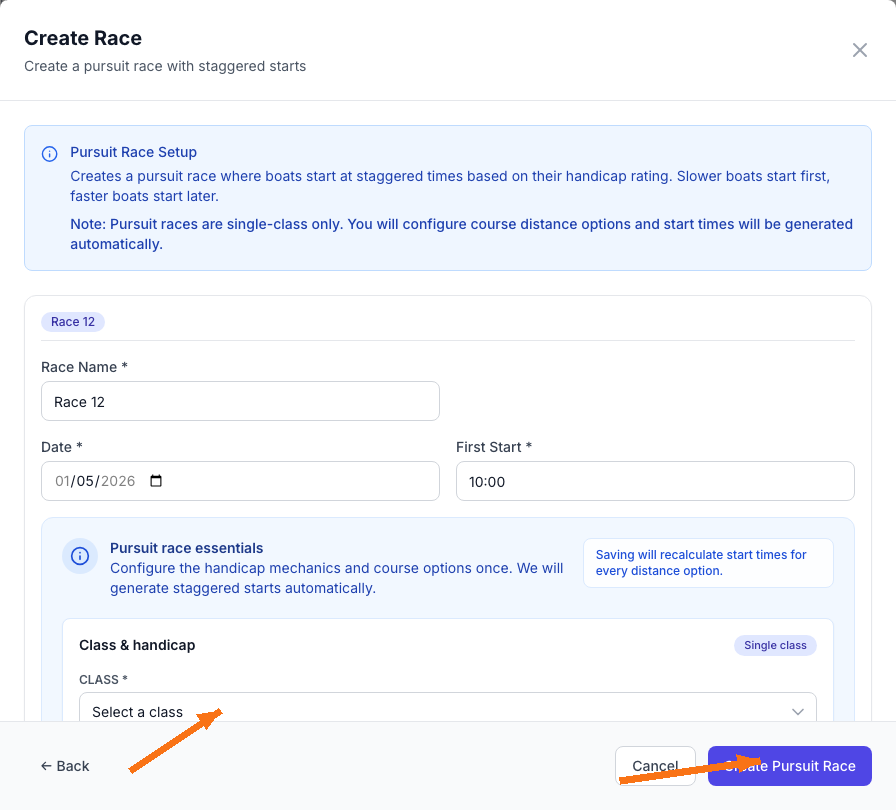
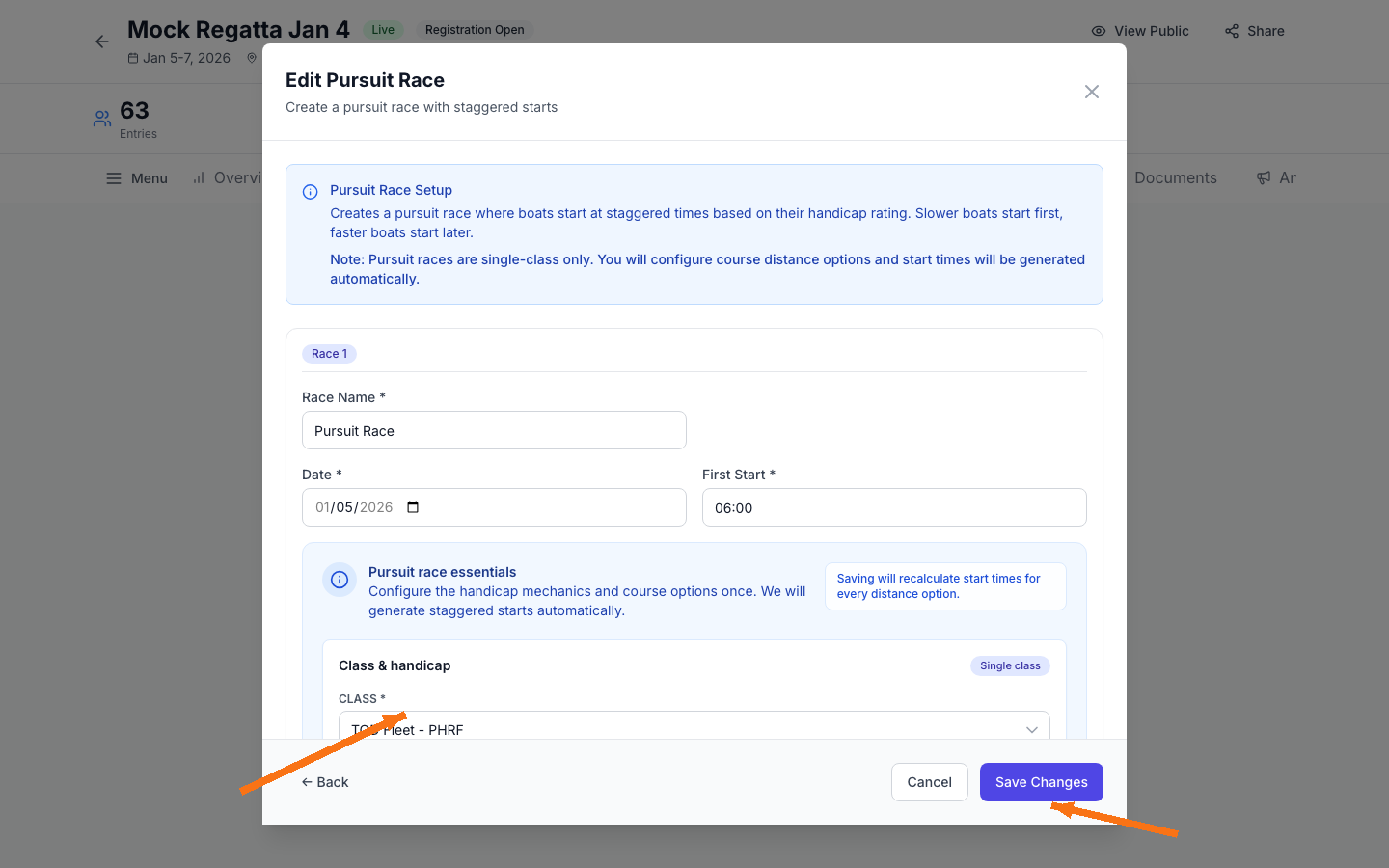
1) Set race details
- Race Name: how the race will appear to admins and participants.
- Date: scheduled date for the pursuit race.
- First Start: the clock time the first boat starts (all other boats are offset from this).
2) Select the class (TOD fleet)
Pursuit races are single-class. Choose the TOD Fleet class so RegattaHub can use the PHRF Time on Distance handicap system.
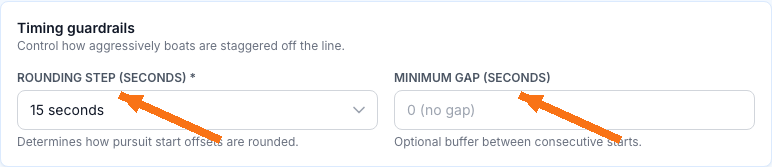
3) Configure timing guardrails
Timing guardrails control how start offsets are generated and displayed:
- Rounding step (seconds): rounds offsets to a consistent increment (for example, 15 seconds). Larger steps make starts simpler to manage; smaller steps produce more precise offsets.
- Minimum gap (seconds): adds an optional buffer between consecutive starts. This can reduce “stacked” starts when boats have similar handicaps.
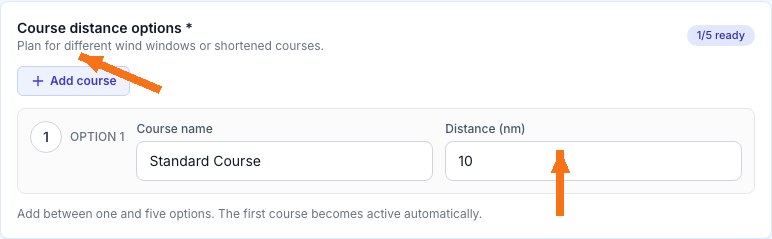
4) Configure course distance options
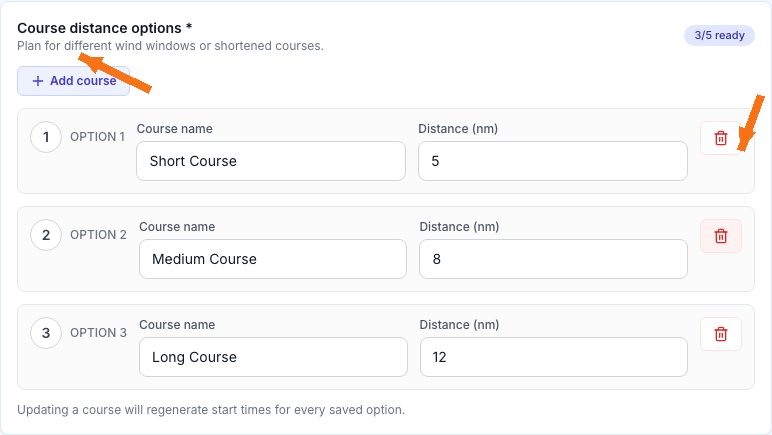
Add one to five course options to support different wind windows or shortened courses. Each option needs:
- Course name (for example, “Short Course”, “Medium Course”).
- Distance (nm) in nautical miles.
You’ll choose which course option is active and publish its start times in Pursuit Races (TOD): Start Times & Results.
Manage an Existing Pursuit Race
On the pursuit race card, use the action icons to manage your race:
- Enter Finishes: enter finish times and publish results (covered in Start Times & Results).
- View Start Times: generate, publish, and export start times (covered in Start Times & Results).
- Edit Race: update race details, timing guardrails, and course options (covered below).
- Delete Race: permanently removes the pursuit race (use with caution).

Edit race details and course options
- Use Edit Race to update the race name, date, first start time, and course options.
- Changing a course name or distance will regenerate start times for saved options, so you may need to re-publish start times afterward.
Delete a pursuit race (use caution)
Deleting a pursuit race is intended for cleanup (for example, an accidentally created test race). If you delete a race that competitors are using, they will lose access to its start times and results.
Next Steps
- Publish start times for the course you’re using (and export PDFs/CSVs).
- Enter finishes and publish results after racing.